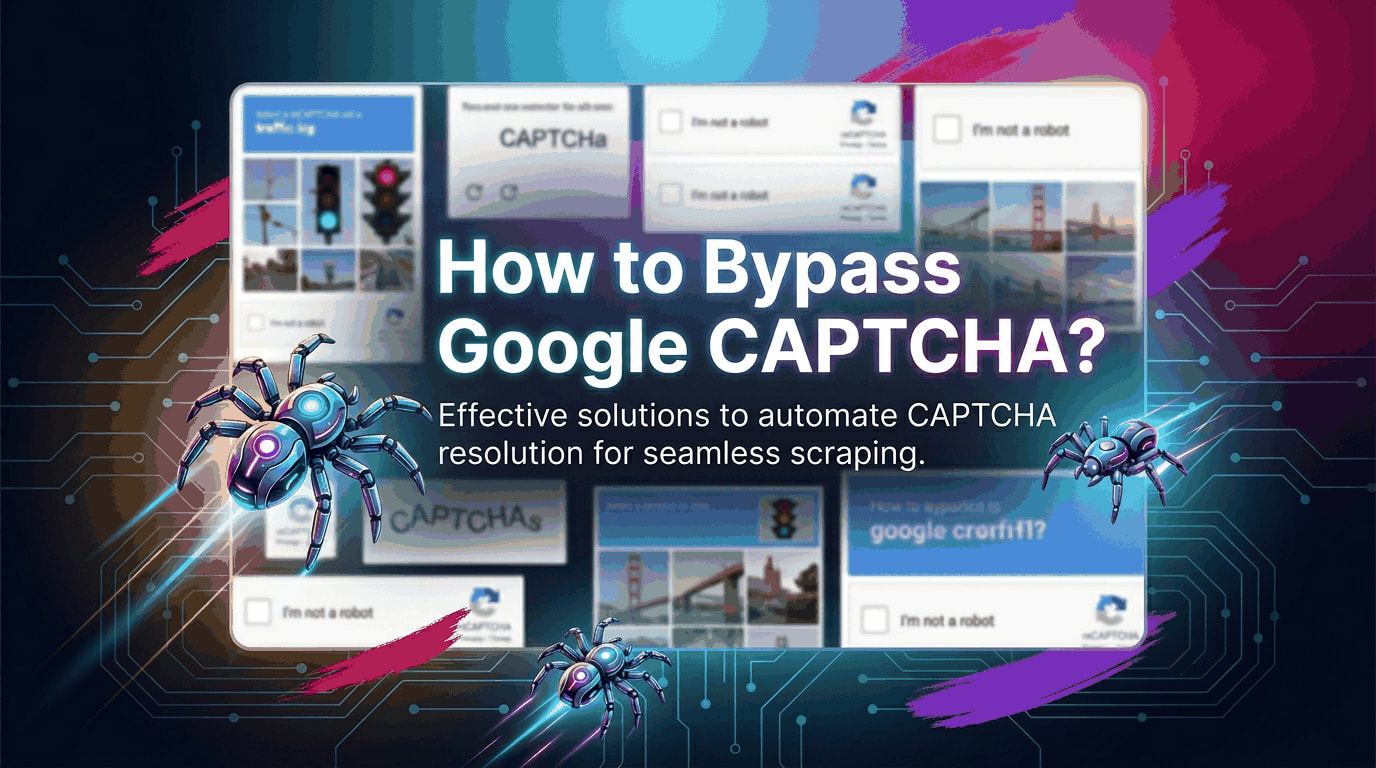

Who This Guide Is For and What You Will Learn
You are a backend engineer or data engineer who writes web scrapers professionally. You are not a beginner who just discovered requests. You have already hit Google’s CAPTCHA wall — possibly hundreds of times — and you are tired of fragile workarounds that break the moment Google ships a new reCAPTCHA SDK update. You want to understand the threat model, not just copy-paste a solution.
This guide is also for data teams building market intelligence pipelines, SERP monitoring systems, or price aggregation infrastructure where Google Search, Google Shopping, or Google Maps are primary data sources. The scraping community has searched for answers under terms like how to bypass Google CAPTCHA Python, reCAPTCHA v3 bypass open source, Playwright stealth CAPTCHA, bypass Google CAPTCHA without paying, and headless browser bot detection 2026. This article addresses all of them with production-level depth.
We will cover the anatomy of Google’s detection stack, why Selenium is effectively dead for Google targets, how to build a fully open-source evasion layer in Python and JavaScript, when to fall back to audio-CAPTCHA solving, and how to architect the entire pipeline so that CAPTCHA events become rare rather than constant. Where paid tools are mentioned, open-source alternatives are always provided.
The Threat Model: What Google’s CAPTCHA System Actually Detects in 2026
Before writing a single line of code, you must understand what you are defending against. Too many engineers treat CAPTCHA bypass as a puzzle to solve once. In reality, Google’s detection stack is a continuously updated, multi-signal scoring system. Solving one layer while leaving another exposed guarantees eventual failure.
Google’s reCAPTCHA ecosystem in 2026 consists of three primary deployments. reCAPTCHA v2 is the familiar checkbox and image grid challenge. It is increasingly rare on Google’s own properties but common on third-party sites that embed it. reCAPTCHA v3 runs invisibly and assigns every user interaction a risk score from 0.0 (likely bot) to 1.0 (likely human). There is no challenge to solve — you either score high enough or you get blocked or redirected to a v2 fallback. reCAPTCHA Enterprise is the version Google deploys across its own search infrastructure and Cloud services. It incorporates a feature called Fluid Risk Scoring, introduced in SDK version 8.9.0, which monitors behavioral signals across the entire page lifecycle rather than just the CAPTCHA widget interaction.
The signals Google collects and scores fall into five categories.
IP reputation is the most fundamental. Google maintains a continuously updated reputation score for every IP range it has ever seen traffic from. Datacenter IP ranges — particularly those belonging to AWS, GCP, Azure, and common VPS providers — carry near-zero trust scores by default. Even a single prior scraping event can blacklist an IP for hours. Shared residential proxy pools that have been heavily recycled accumulate reputation debt over time.
TLS fingerprinting is where most modern scrapers fail silently. Every HTTP client has a TLS handshake signature — the ordered list of cipher suites, extensions, and elliptic curves it advertises during the SSL negotiation. Python’s requests library using the default urllib3 backend produces a fingerprint that is trivially identifiable as non-browser traffic. The same is true for Node.js’s https module. Google’s infrastructure reads this fingerprint before it processes a single HTTP header.
Browser fingerprinting applies to any scraper that renders JavaScript — which is mandatory for Google Search, Google Maps, and Google Shopping. The fingerprint consists of dozens of attributes: navigator.webdriver, the presence or absence of browser plugins, the chrome global object, screen resolution consistency with the viewport, WebGL renderer string, Canvas 2D rendering artifacts, AudioContext output, and font enumeration results. A headless Chromium instance with default settings fails on nearly all of these.
Behavioral biometrics is the most recent addition and the hardest to spoof. By early 2026, CAPTCHA systems have shifted focus from simple image recognition to behavioral biometrics and identity correlation. The new Fluid Risk Scoring system watches mouse movement trajectories, scroll velocity, click timing distributions, and the intervals between DOM events. Fitts’ Law — the mathematical model describing how human pointing movements accelerate toward a target and decelerate on approach — is the benchmark. Linear or perfectly randomized mouse movements are immediately flagged.
Behavioral patterns at the network level complete the picture. Request cadence, cookie persistence between sessions, referrer chain consistency, and the Accept-Language header’s match against the IP’s geolocated region all feed into the score. A scraper that sends 50 requests per minute with a stable inter-request interval and no cookies will score near zero on reCAPTCHA v3 regardless of what browser it pretends to be.
Understanding this threat model reframes the engineering objective. The goal is not to solve a CAPTCHA — it is to engineer a scraper that Google’s risk scoring system classifies as human traffic at every layer simultaneously.
Why Selenium Is Effectively Dead for Google Targets
Selenium remains the most widely taught browser automation tool. For Google scraping in 2026, it is the wrong choice for structural reasons that no configuration or plugin can fully overcome.
Google Search, in particular, triggers CAPTCHAs after just a few Selenium-driven requests — even if you rotate IPs. The fundamental problem is that ChromeDriver, Selenium’s browser control mechanism, sets navigator.webdriver to true in the browser’s JavaScript environment. While undetected-chromedriver patches this property, it does so after the browser binary is already compiled with detectable instrumentation hooks. Google’s detection reads deeper than the JavaScript surface — it detects the DevTools Protocol connection patterns, the timing signatures of command execution, and the absence of certain browser-internal state that only genuine user-initiated Chrome instances maintain.
There is a secondary problem: Selenium’s architecture imposes latency on every browser interaction because commands travel through the WebDriver protocol. This creates unnatural, mechanically regular interaction timing that behavioral analysis systems flag. A human’s mouse movement to a search box is not a single move_to_element command — it is a continuous stream of micro-adjustments with variable acceleration.
The engineering community has largely migrated to Playwright for Google-targeted scraping. Playwright is a modern browser automation library developed by Microsoft. Unlike Selenium, it gives you low-level access to browser internals, making it easier to spoof fingerprints, control browser behavior, and emulate real user actions. The key architectural advantage is that Playwright’s CDP (Chrome DevTools Protocol) integration exposes browser internals that allow injection of JavaScript patches before any page script executes — a capability Selenium lacks.
Layer 1: TLS Fingerprint Spoofing in Python
The first layer to fix is the TLS fingerprint. For scrapers that do not need JavaScript rendering — such as those calling Google’s public APIs or parsing lightweight Google endpoints — the standard requests library is disqualifying. The fix is curl_cffi, an open-source Python library that wraps libcurl compiled with BoringSSL, allowing precise impersonation of real browser TLS fingerprints.
pip install curl_cffifrom curl_cffi.requests import AsyncSession
import asyncio
async def fetch_google_search(query: str, proxy: str = None) -> str:
"""
Fetch Google Search results with a spoofed Chrome 124 TLS fingerprint.
The impersonate parameter sets both the TLS fingerprint and HTTP/2
settings to match the target browser exactly.
"""
proxies = {"https": proxy, "http": proxy} if proxy else None
async with AsyncSession(impersonate="chrome124") as session:
params = {
"q": query,
"hl": "en",
"gl": "us",
"num": "10",
}
headers = {
"Accept": "text/html,application/xhtml+xml,application/xml;q=0.9,image/avif,image/webp,*/*;q=0.8",
"Accept-Language": "en-US,en;q=0.9",
"Accept-Encoding": "gzip, deflate, br",
"Sec-Fetch-Dest": "document",
"Sec-Fetch-Mode": "navigate",
"Sec-Fetch-Site": "none",
"Sec-Fetch-User": "?1",
"Upgrade-Insecure-Requests": "1",
}
response = await session.get(
"https://www.google.com/search",
params=params,
headers=headers,
proxies=proxies,
timeout=20,
)
response.raise_for_status()
return response.text
async def main():
# For production, replace with a residential EU proxy for GDPR-compliant pipelines
# See: https://dataflirt.com/blog/best-proxy-providers-for-scraping-in-the-eu-with-gdpr-compliant-infrastructure/
html = await fetch_google_search("open source web scraping tools 2026")
# Detect CAPTCHA fallback page
if "sorry/index" in html or "recaptcha" in html.lower():
print("[WARN] CAPTCHA page returned — rotate IP and retry")
else:
print(f"[OK] Fetched {len(html)} bytes of SERP content")
asyncio.run(main())The impersonate="chrome124" parameter sets both the TLS cipher suite order and the HTTP/2 SETTINGS frame to match a real Chrome 124 browser. Without this, Google’s infrastructure identifies the connection as non-browser within the first handshake packet — before any HTTP header is read.
For JavaScript-heavy Google properties, curl_cffi is not sufficient on its own. You need a browser automation layer.
Layer 2: Playwright with playwright-stealth for Full Browser Evasion (Python)
playwright-stealth is an open-source Python port of the JavaScript puppeteer-extra-plugin-stealth library. It injects a comprehensive set of JavaScript patches into the browser context before any page script runs, neutralizing the most common fingerprinting vectors.
pip install playwright playwright-stealth
playwright install chromium
import asyncio
import random
import time
from playwright.async_api import async_playwright
from playwright_stealth import stealth_async
# Neuromotor jitter model: simulate human cursor movement
# using Bezier curve interpolation rather than linear steps
async def human_mouse_move(page, target_x: float, target_y: float, steps: int = 25):
"""
Moves mouse to target with acceleration/deceleration curve
approximating Fitts' Law biomechanics.
"""
current = await page.evaluate("() => ({ x: window.scrollX, y: window.scrollY })")
start_x, start_y = current["x"] + 400, current["y"] + 300 # approximate cursor center
for i in range(steps):
# Ease-in-out interpolation: slow start, fast middle, slow finish
t = i / steps
ease = t * t * (3 - 2 * t)
x = start_x + (target_x - start_x) * ease + random.gauss(0, 1.5)
y = start_y + (target_y - start_y) * ease + random.gauss(0, 1.5)
await page.mouse.move(x, y)
# Non-uniform inter-step delay (human movement is not clock-regular)
await asyncio.sleep(random.uniform(0.005, 0.025))
async def scrape_google_with_stealth(
query: str,
proxy_server: str = None,
user_agent: str = None,
) -> dict:
"""
Scrapes Google Search results using a stealth-patched Playwright
browser context. Returns raw HTML and CAPTCHA detection flag.
"""
proxy_config = {"server": proxy_server} if proxy_server else None
# Randomize viewport to avoid fixed-size fingerprinting
viewport_width = random.choice([1280, 1366, 1440, 1536, 1920])
viewport_height = random.choice([768, 800, 864, 900, 1080])
async with async_playwright() as pw:
browser = await pw.chromium.launch(
headless=True,
args=[
"--disable-blink-features=AutomationControlled",
"--disable-features=IsolateOrigins,site-per-process",
f"--window-size={viewport_width},{viewport_height}",
],
proxy=proxy_config,
)
context = await browser.new_context(
viewport={"width": viewport_width, "height": viewport_height},
user_agent=user_agent or (
"Mozilla/5.0 (Windows NT 10.0; Win64; x64) "
"AppleWebKit/537.36 (KHTML, like Gecko) "
"Chrome/124.0.0.0 Safari/537.36"
),
locale="en-US",
timezone_id="America/New_York",
# Persist cookies across requests within a session
storage_state=None,
)
page = await context.new_page()
# Apply all stealth patches before navigation
await stealth_async(page)
try:
# Navigate to Google with a realistic referrer chain
await page.goto("https://www.google.com", wait_until="networkidle")
await asyncio.sleep(random.uniform(1.5, 3.0)) # simulate page read time
# Find the search box and interact with it naturally
search_box = await page.wait_for_selector('textarea[name="q"]', timeout=10000)
await search_box.click()
await asyncio.sleep(random.uniform(0.3, 0.8))
# Type with realistic inter-keystroke delays (not uniform)
for char in query:
await page.keyboard.type(char)
await asyncio.sleep(random.gauss(0.08, 0.03))
await asyncio.sleep(random.uniform(0.5, 1.2))
await page.keyboard.press("Enter")
await page.wait_for_load_state("networkidle")
html = await page.content()
captcha_detected = any(
kw in html.lower()
for kw in ["sorry/index", "recaptcha", "unusual traffic", "g-recaptcha"]
)
return {
"html": html,
"captcha_detected": captcha_detected,
"url": page.url,
}
except Exception as e:
return {"html": "", "captcha_detected": False, "error": str(e)}
finally:
await browser.close()
async def main():
result = await scrape_google_with_stealth(
query="web scraping compliance GDPR 2026",
# Use a residential proxy for production — see DataFlirt's proxy audit guide
# https://dataflirt.com/blog/choosing-proxy-service-for-web-scraper/
)
if result.get("captcha_detected"):
print("[WARN] CAPTCHA triggered — IP rotation required")
elif result.get("error"):
print(f"[ERROR] {result['error']}")
else:
print(f"[OK] Scraped {len(result['html'])} bytes from {result['url']}")
asyncio.run(main())The critical stealth patch applied by playwright-stealth covers the following vectors: it removes navigator.webdriver, adds realistic plugin arrays, patches the Chrome runtime object, spoofs permissions.query behavior for the notification permission (a common fingerprinting probe), normalizes screen and window.outerHeight/outerWidth to match the viewport, and fixes the languages property to be non-empty.
Layer 3: Camoufox — The Firefox-Based Open-Source Stealth Browser (Python)
For Google targets where Chromium detection has become too aggressive, the open-source camoufox project offers a Firefox-based alternative with built-in anti-fingerprinting. Unlike Chromium, Firefox is not a Google product, meaning Google’s fingerprinting investment is asymmetrically weighted toward catching Chromium-based bots.
pip install camoufox
python -m camoufox fetch  # downloads the patched Firefox binary
import asyncio
from camoufox.async_api import AsyncCamoufox
async def scrape_with_camoufox(url: str, proxy: str = None) -> str:
"""
Uses camoufox's patched Firefox with randomized fingerprints.
Each launch generates a fresh, internally consistent fingerprint
profile: OS, screen resolution, fonts, WebGL, and Canvas all
match each other to avoid correlation-based detection.
"""
proxy_config = None
if proxy:
# Parse proxy URL into camoufox's expected dict format
from urllib.parse import urlparse
parsed = urlparse(proxy)
proxy_config = {
"server": f"{parsed.scheme}://{parsed.hostname}:{parsed.port}",
"username": parsed.username,
"password": parsed.password,
}
async with AsyncCamoufox(
headless=True,
proxy=proxy_config,
# geoip=True requires the optional geoip package for locale/timezone
# consistency with the proxy's exit node location
os=("windows", "macos", "linux"), # random OS fingerprint
) as browser:
page = await browser.new_page()
await page.goto(url, wait_until="domcontentloaded")
return await page.content()
async def main():
html = await scrape_with_camoufox("https://www.google.com/search?q=SERP+scraping+tools")
captcha = "sorry/index" in html or "g-recaptcha" in html.lower()
print(f"CAPTCHA: {captcha} | Content length: {len(html)}")
asyncio.run(main())camoufox generates internally consistent fingerprint bundles — meaning the reported OS, screen resolution, installed fonts, WebGL renderer, and Canvas output all match each other in a way that is statistically plausible. Incoherent fingerprints (e.g., a Windows user-agent with macOS-exclusive fonts) are a major detection vector that basic stealth patches miss.
Layer 4: Playwright Stealth in Node.js / JavaScript
For engineering teams whose scraping stack is JavaScript-native — common in organizations where the scraper feeds directly into a Node.js backend — the playwright-extra ecosystem provides equivalent functionality.
npm install playwright playwright-extra puppeteer-extra-plugin-stealthconst { chromium } = require("playwright-extra");
const StealthPlugin = require("puppeteer-extra-plugin-stealth");
// Apply all stealth evasions before browser launch
chromium.use(StealthPlugin());
/**
* Simulates human typing with variable inter-keystroke delay.
* A constant delay is a strong bot signal; human typing follows
* a Gaussian distribution centered around a "natural" WPM rate.
*/
async function humanType(page, selector, text) {
await page.click(selector);
for (const char of text) {
await page.type(selector, char, {
delay: Math.max(40, Math.floor(Math.random() * 120 + 60)),
});
}
}
/**
* Adds random scroll behavior to simulate page reading.
* reCAPTCHA v3 scores sessions with zero scroll events as
* highly suspicious, since no human reads a page without scrolling.
*/
async function humanScroll(page, times = 3) {
for (let i = 0; i < times; i++) {
const scrollY = Math.floor(Math.random() * 300 + 100);
await page.evaluate((y) => window.scrollBy(0, y), scrollY);
await page.waitForTimeout(Math.floor(Math.random() * 800 + 400));
}
}
async function scrapeGoogleSERP(query, proxyServer = null) {
const launchOptions = {
headless: true,
args: [
"--disable-blink-features=AutomationControlled",
"--no-sandbox",
"--disable-setuid-sandbox",
`--window-size=${1366 + Math.floor(Math.random() * 200)},${768 + Math.floor(Math.random() * 200)}`,
],
};
if (proxyServer) {
launchOptions.proxy = { server: proxyServer };
}
const browser = await chromium.launch(launchOptions);
const context = await browser.newContext({
locale: "en-US",
timezoneId: "America/New_York",
userAgent:
"Mozilla/5.0 (Windows NT 10.0; Win64; x64) " +
"AppleWebKit/537.36 (KHTML, like Gecko) " +
"Chrome/124.0.0.0 Safari/537.36",
});
const page = await context.newPage();
try {
await page.goto("https://www.google.com", { waitUntil: "networkidle" });
// Simulate reading the homepage before searching
await humanScroll(page, 2);
await page.waitForTimeout(Math.floor(Math.random() * 1500 + 1000));
await humanType(page, 'textarea[name="q"]', query);
await page.waitForTimeout(Math.floor(Math.random() * 600 + 300));
await page.keyboard.press("Enter");
await page.waitForLoadState("networkidle");
const html = await page.content();
const captchaDetected =
html.includes("sorry/index") ||
html.toLowerCase().includes("recaptcha") ||
html.includes("unusual traffic");
return { html, captchaDetected, url: page.url() };
} catch (err) {
return { html: "", captchaDetected: false, error: err.message };
} finally {
await browser.close();
}
}
// Main execution
(async () => {
const result = await scrapeGoogleSERP(
"web scraping anti-bot bypass open source 2026"
// Add proxy string here for production:
// "http://user:pass@proxy.example.com:8080"
);
if (result.captchaDetected) {
console.log("[WARN] CAPTCHA page returned — rotate session and IP");
} else if (result.error) {
console.error(`[ERROR] ${result.error}`);
} else {
console.log(`[OK] ${result.html.length} bytes from ${result.url}`);
}
})();The puppeteer-extra-plugin-stealth applies 11 distinct evasion patches, including WebGL vendor spoofing, navigator.plugins population, window.chrome runtime patching, iframe contentWindow patching (a common detection probe), and navigator.permissions normalization.
Layer 5: Open-Source Audio CAPTCHA Bypass as a Fallback (Python)
When a CAPTCHA challenge is unavoidable — such as when working with a degraded IP pool or scraping a target that aggressively challenges all non-search traffic — an audio-based bypass is the most reliable open-source fallback. Instead of image CAPTCHA, we can solve the audio CAPTCHA. The audio captcha is easier to solve programmatically. The audio track is downloaded, transcribed using an open-source speech recognition engine, and the transcript is submitted as the CAPTCHA answer.
pip install playwright playwright-stealth SpeechRecognition pydub requests
# Also requires ffmpeg: sudo apt install ffmpeg
import asyncio
import os
import tempfile
import requests
import speech_recognition as sr
from pydub import AudioSegment
from playwright.async_api import async_playwright
from playwright_stealth import stealth_async
CAPTCHA_PAGE = "https://www.google.com/recaptcha/api2/demo"
async def solve_audio_recaptcha(page) -> bool:
"""
Solves reCAPTCHA v2 using the audio challenge + Google Speech Recognition.
Returns True if successfully solved, False otherwise.
Strategy:
1. Click the reCAPTCHA checkbox to trigger the challenge frame
2. Switch to audio challenge mode
3. Download the audio file
4. Transcribe with SpeechRecognition (uses Google's free STT API)
5. Submit the transcript
"""
try:
# Step 1: Click the main reCAPTCHA checkbox inside its iframe
recaptcha_frame = None
for frame in page.frames:
if "recaptcha" in frame.url and "anchor" in frame.url:
recaptcha_frame = frame
break
if not recaptcha_frame:
print("[WARN] Could not find reCAPTCHA anchor frame")
return False
checkbox = await recaptcha_frame.wait_for_selector("#recaptcha-anchor", timeout=8000)
await checkbox.click()
await asyncio.sleep(2)
# Check if already passed (lucky path — no image challenge)
checked = await recaptcha_frame.evaluate(
"document.getElementById('recaptcha-anchor').getAttribute('aria-checked')"
)
if checked == "true":
print("[OK] CAPTCHA passed without challenge")
return True
# Step 2: Find the challenge bFrame and switch to audio
bframe = None
for frame in page.frames:
if "recaptcha" in frame.url and "bframe" in frame.url:
bframe = frame
break
if not bframe:
print("[WARN] Could not find bframe — challenge may not have appeared")
return False
audio_button = await bframe.wait_for_selector("#recaptcha-audio-button", timeout=8000)
await audio_button.click()
await asyncio.sleep(1.5)
# Step 3: Download the audio file
audio_src_element = await bframe.wait_for_selector(
".rc-audiochallenge-tdownload-link", timeout=8000
)
audio_url = await audio_src_element.get_attribute("href")
with tempfile.TemporaryDirectory() as tmpdir:
mp3_path = os.path.join(tmpdir, "captcha_audio.mp3")
wav_path = os.path.join(tmpdir, "captcha_audio.wav")
# Download with headers matching a real browser request
resp = requests.get(
audio_url,
headers={
"User-Agent": (
"Mozilla/5.0 (Windows NT 10.0; Win64; x64) "
"AppleWebKit/537.36 (KHTML, like Gecko) "
"Chrome/124.0.0.0 Safari/537.36"
),
"Referer": "https://www.google.com/recaptcha/api2/bframe",
},
timeout=15,
)
with open(mp3_path, "wb") as f:
f.write(resp.content)
# Convert MP3 → WAV for SpeechRecognition compatibility
audio = AudioSegment.from_mp3(mp3_path)
audio.export(wav_path, format="wav")
# Step 4: Transcribe
recognizer = sr.Recognizer()
with sr.AudioFile(wav_path) as source:
audio_data = recognizer.record(source)
try:
transcript = recognizer.recognize_google(audio_data)
print(f"[STT] Transcribed: {transcript}")
except sr.UnknownValueError:
print("[WARN] Could not transcribe audio — trying again with adjusted audio")
# Slow down audio slightly to improve recognition accuracy
slowed = audio.speedup(playback_speed=0.85)
slowed.export(wav_path, format="wav")
with sr.AudioFile(wav_path) as source:
audio_data = recognizer.record(source)
transcript = recognizer.recognize_google(audio_data)
# Step 5: Submit the transcript
response_input = await bframe.wait_for_selector("#audio-response", timeout=5000)
await response_input.fill(transcript.lower())
await asyncio.sleep(0.5)
verify_button = await bframe.wait_for_selector("#recaptcha-verify-button")
await verify_button.click()
await asyncio.sleep(2)
# Verify success
final_check = await recaptcha_frame.evaluate(
"document.getElementById('recaptcha-anchor').getAttribute('aria-checked')"
)
return final_check == "true"
except Exception as e:
print(f"[ERROR] Audio CAPTCHA bypass failed: {e}")
return False
async def main():
async with async_playwright() as pw:
browser = await pw.chromium.launch(headless=False) # visible for debugging
context = await browser.new_context()
page = await context.new_page()
await stealth_async(page)
await page.goto(CAPTCHA_PAGE)
await asyncio.sleep(2)
success = await solve_audio_recaptcha(page)
print(f"CAPTCHA solved: {success}")
if success:
# Proceed with scraping after CAPTCHA pass
pass
await browser.close()
asyncio.run(main())One important caveat: Google may block your IP if you solve too many CAPTCHAs in a short period of time. The audio fallback is appropriate for handling occasional CAPTCHA events that slip through a well-configured evasion stack. If your pipeline is hitting CAPTCHAs at a rate above 5%, the correct response is not to improve the CAPTCHA solver — it is to fix the upstream evasion layers (IP quality, fingerprint hygiene, behavioral patterns) so that fewer challenges are triggered in the first place.
Layer 6: IP Rotation Strategy and Proxy Architecture
No amount of browser fingerprinting work matters if you are routing requests through IPs that Google has already flagged. This is where the infrastructure layer becomes the decisive variable.
IP reputation is a core CAPTCHA trigger: Google tracks IP histories; therefore, shared datacenter IPs or reused proxy nodes with a history of scraping are frequently flagged. The practical implication is that IP selection is not a commodity decision — it is a technical one with direct impact on scraping success rates.
The following Python class implements a session-aware proxy rotation strategy that tracks per-IP CAPTCHA encounter rates and automatically retires IPs that exceed a failure threshold.
import asyncio
import hashlib
import time
from collections import defaultdict
from dataclasses import dataclass, field
from typing import List, Optional

@dataclass
class ProxyRecord:
    url: str
    captcha_hits: int = 0
    request_count: int = 0
    last_used: float = field(default_factory=time.time)
    retired: bool = False

    @property
    def captcha_rate(self) -> float:
        if self.request_count == 0:
            return 0.0
        return self.captcha_hits / self.request_count

class ProxyRotator:
    """
    Manages a pool of proxy IPs with adaptive rotation.
    Proxies that trigger CAPTCHAs above a configurable threshold
    are automatically retired from the active pool.

    Production usage: pair this with a GDPR-compliant residential
    proxy pool — see DataFlirt's proxy audit service for EU-targeted pipelines:
    https://dataflirt.com/blog/best-proxy-providers-for-scraping-in-the-eu-with-gdpr-compliant-infrastructure/
    """

    CAPTCHA_RATE_THRESHOLD = 0.10  # Retire proxy if >10% of requests trigger CAPTCHA
    MIN_REQUESTS_BEFORE_RETIRE = 5  # Avoid retiring on first-hit false positives

    def __init__(self, proxy_urls: List[str]):
        self.pool = [ProxyRecord(url=url) for url in proxy_urls]
        self._lock = asyncio.Lock()

    async def get_proxy(self) -> Optional[str]:
        async with self._lock:
            active = [p for p in self.pool if not p.retired]
            if not active:
                raise RuntimeError("All proxies retired — replenish pool")

            # Weighted selection: prefer IPs with lower captcha rates
            # and those that haven't been used recently
            now = time.time()
            def score(p: ProxyRecord) -> float:
                recency_penalty = min(1.0, (now - p.last_used) / 60)
                return recency_penalty - (p.captcha_rate * 2)

            selected = max(active, key=score)
            selected.request_count += 1
            selected.last_used = now
            return selected.url

    async def report_captcha(self, proxy_url: str):
        async with self._lock:
            for record in self.pool:
                if record.url == proxy_url:
                    record.captcha_hits += 1
                    if (
                        record.request_count >= self.MIN_REQUESTS_BEFORE_RETIRE
                        and record.captcha_rate > self.CAPTCHA_RATE_THRESHOLD
                    ):
                        record.retired = True
                        print(f"[RETIRE] {proxy_url} — CAPTCHA rate: {record.captcha_rate:.1%}")
                    break

    def pool_status(self) -> dict:
        active = [p for p in self.pool if not p.retired]
        return {
            "total": len(self.pool),
            "active": len(active),
            "retired": len(self.pool) - len(active),
            "avg_captcha_rate": sum(p.captcha_rate for p in active) / max(len(active), 1),
        }
For production pipelines targeting EU domains, IP pool selection has compliance implications beyond success rate. Residential IP pools must be sourced from providers that maintain opt-in consent frameworks for their peer-to-peer networks. DataFlirt’s guide on GDPR-compliant proxy infrastructure covers the Data Processing Agreement requirements and IP pool audit procedures that enterprise data teams need to remain legally defensible in European markets.
Layer 7: CAPTCHA Detection and Adaptive Circuit-Breaker Pattern
Production pipelines need automated CAPTCHA detection so that the application layer can respond — rotating the proxy, adjusting request cadence, or falling back to the audio solver — without manual intervention. The following implements a circuit-breaker pattern that pauses a scraping worker when CAPTCHA rates exceed a threshold.
import asyncio
import time
from enum import Enum

class CircuitState(Enum):
    CLOSED = "closed"      # Normal operation
    OPEN = "open"          # Paused — too many CAPTCHAs
    HALF_OPEN = "half_open"  # Testing recovery

class CaptchaCircuitBreaker:
    """
    Circuit breaker for CAPTCHA-triggered scraping failures.

    CLOSED → OPEN: when failure_rate exceeds threshold
    OPEN → HALF_OPEN: after cooldown_seconds elapses
    HALF_OPEN → CLOSED: if probe request succeeds
    HALF_OPEN → OPEN: if probe request fails
    """

    def __init__(
        self,
        failure_threshold: float = 0.20,
        window_size: int = 20,
        cooldown_seconds: int = 90,
    ):
        self.failure_threshold = failure_threshold
        self.window_size = window_size
        self.cooldown_seconds = cooldown_seconds
        self.results = []
        self.state = CircuitState.CLOSED
        self.opened_at: float = None

    def record(self, captcha_triggered: bool):
        self.results.append(captcha_triggered)
        if len(self.results) > self.window_size:
            self.results.pop(0)

        failure_rate = sum(self.results) / len(self.results)

        if self.state == CircuitState.CLOSED and failure_rate > self.failure_threshold:
            self.state = CircuitState.OPEN
            self.opened_at = time.time()
            print(f"[CIRCUIT OPEN] CAPTCHA rate: {failure_rate:.1%} — pausing scraper")

    def allow_request(self) -> bool:
        if self.state == CircuitState.CLOSED:
            return True
        if self.state == CircuitState.OPEN:
            if time.time() - self.opened_at > self.cooldown_seconds:
                self.state = CircuitState.HALF_OPEN
                print("[CIRCUIT HALF-OPEN] Testing recovery with probe request")
                return True
            return False
        if self.state == CircuitState.HALF_OPEN:
            return True

    def record_probe(self, success: bool):
        if self.state == CircuitState.HALF_OPEN:
            if success:
                self.state = CircuitState.CLOSED
                self.results.clear()
                print("[CIRCUIT CLOSED] Recovery confirmed")
            else:
                self.state = CircuitState.OPEN
                self.opened_at = time.time()
                print("[CIRCUIT OPEN] Probe failed — extending cooldown")

# Usage example
async def managed_scrape_loop(queries: list, proxy_rotator: "ProxyRotator"):
    circuit = CaptchaCircuitBreaker()

    for query in queries:
        if not circuit.allow_request():
            wait = circuit.cooldown_seconds
            print(f"[WAIT] Circuit open — sleeping {wait}s before retry")
            await asyncio.sleep(wait)
            continue

        proxy = await proxy_rotator.get_proxy()

        # Import and call your stealth scraper here
        result = await scrape_google_with_stealth(query, proxy_server=proxy)

        if result.get("captcha_detected"):
            await proxy_rotator.report_captcha(proxy)
            circuit.record(True)
        else:
            circuit.record(False)
            if circuit.state == CircuitState.HALF_OPEN:
                circuit.record_probe(True)
            # Process result...
            yield result

        # Rate-limiting: randomized inter-request delay
        await asyncio.sleep(random.uniform(3.0, 8.0))
This pattern is discussed in DataFlirt’s broader treatment of 5 best IP rotation strategies for high-volume scraping. The key insight is that a circuit breaker transforms CAPTCHA events from pipeline-killing errors into managed backpressure signals.
The CAPTCHA Solving Market in 2026: What the Data Says
Understanding where the industry stands contextualizes the open-source approach. The CAPTCHA-solving market in 2026 is mature and competitive, with anti-bot platforms evolving faster than ever: reCAPTCHA v2/v3 and Enterprise, hCaptcha Enterprise, Cloudflare Turnstile, Arkose Labs FunCaptcha, AWS WAF CAPTCHA, and GeeTest v4 are challenges that scrapers encounter daily.
A benchmark study routing 100 distinct requests through each vendor’s network against Cloudflare’s Enterprise-grade protection in “Under Attack” mode showed that commercial solutions achieved a 67% success rate, placing commercial unblocking solutions among the top tier of options. This is with commercial infrastructure and significant engineering investment. Open-source approaches using the stack described in this guide — without commercial solvers — achieve comparable rates on Google targets when IP quality is high, because Google’s primary detection vector is IP reputation and TLS fingerprinting, not visual puzzle complexity.
Trends for 2024–2025 include strengthening behavioral mechanisms, dynamic risk scoring, and multi-factor validations including device fingerprinting. Providers that quickly adapt and support hybrid scenarios — proxyless plus external proxies, browser plugins plus API — will succeed. This trend validates the layered evasion architecture described in this guide: no single technique is sufficient, and adaptability is more important than any one tool.
Modern scrapers now use multimodal LLMs to solve puzzles with logical reasoning. These models can handle new CAPTCHA types without training data because they understand the spatial context of each puzzle. Open-source multimodal models like LLaVA and Qwen-VL are beginning to be integrated into scraping pipelines for visual CAPTCHA solving, though GPU requirements make this impractical for most teams without dedicated inference infrastructure.
DrissionPage: The Lowest-Overhead Open-Source Option for Controlled Chromium
For use cases where Playwright’s async overhead is undesirable — particularly in synchronous scraping pipelines or when integrating with existing synchronous Python code — DrissionPage provides an alternative that merges requests-mode and browser-mode in a single API.
pip install DrissionPagefrom DrissionPage import ChromiumPage, ChromiumOptions
import time
import random
def create_stealth_page(proxy: str = None) -> ChromiumPage:
"""
Creates a ChromiumPage instance configured for minimal
bot-detection exposure. DrissionPage can switch between
request-only mode (no JS overhead) and full browser mode
within the same session, preserving cookies between modes.
"""
options = ChromiumOptions()
options.set_argument("--disable-blink-features=AutomationControlled")
options.set_argument("--no-sandbox")
if proxy:
options.set_proxy(proxy)
page = ChromiumPage(addr_or_opts=options)
# Patch navigator.webdriver before any page load
page.run_js("Object.defineProperty(navigator, 'webdriver', {get: () => undefined})")
return page
def scrape_google_serp_sync(query: str, proxy: str = None) -> dict:
"""
Synchronous Google SERP scraper using DrissionPage.
Suitable for integration into traditional synchronous pipelines.
"""
page = create_stealth_page(proxy)
try:
page.get("https://www.google.com")
time.sleep(random.uniform(1.0, 2.5))
search_box = page.ele('tag:textarea@name=q')
search_box.click()
# Human-like typing
for char in query:
search_box.input(char)
time.sleep(random.gauss(0.09, 0.03))
time.sleep(random.uniform(0.4, 0.9))
page.run_js("document.querySelector('textarea[name=\"q\"]').form.submit()")
page.wait.load_start()
time.sleep(random.uniform(1.5, 3.0))
html = page.html
return {
"html": html,
"captcha": "sorry/index" in html or "recaptcha" in html.lower(),
}
finally:
page.quit()
# Example
result = scrape_google_serp_sync("open source SERP scraping Python 2026")
print(f"CAPTCHA: {result['captcha']} | Length: {len(result['html'])}")Parsing Google SERP Results with selectolax (Python)
Once you have the HTML without triggering a CAPTCHA, you need to parse it efficiently. selectolax is an open-source, C-extension-backed HTML parser that is 10–30x faster than BeautifulSoup for large-scale parsing workloads.
pip install selectolaxfrom selectolax.parser import HTMLParser
from dataclasses import dataclass
from typing import List, Optional
import re
@dataclass
class SERPResult:
position: int
title: str
url: str
snippet: str
displayed_url: str
def parse_google_serp(html: str) -> List[SERPResult]:
"""
Parses Google SERP HTML into structured result objects.
Google's HTML structure changes periodically — this parser targets
the current 2026 schema using CSS attribute selectors.
Note: Google uses obfuscated class names. Targeting semantic
attributes (role, aria-*) is more stable across Google's A/B tests.
"""
parser = HTMLParser(html)
results = []
position = 0
# Primary result container selector
# Google wraps organic results in <div> with data-hveid attribute
for result_div in parser.css("div[data-hveid]"):
# Title: typically an h3 inside the result block
title_node = result_div.css_first("h3")
if not title_node:
continue
title = title_node.text(strip=True)
if not title:
continue
# URL: the parent anchor of the h3
link_node = result_div.css_first("a[href]")
if not link_node:
continue
raw_url = link_node.attributes.get("href", "")
# Filter out Google-internal URLs
if not raw_url.startswith("http") or "google.com" in raw_url:
continue
# Snippet: paragraph text after the title block
snippet_node = result_div.css_first("[data-sncf]") or result_div.css_first("span[lang]")
snippet = snippet_node.text(strip=True) if snippet_node else ""
# Displayed URL
cite_node = result_div.css_first("cite")
displayed_url = cite_node.text(strip=True) if cite_node else raw_url
position += 1
results.append(SERPResult(
position=position,
title=title,
url=raw_url,
snippet=snippet,
displayed_url=displayed_url,
))
if position >= 10:
break
return results
# Example usage
# html = result from scrape_google_with_stealth(...)
# results = parse_google_serp(html)
# for r in results:
# print(f"{r.position}. {r.title} — {r.url}")For more complex SERP parsing requirements, DataFlirt’s guide on best tools for extracting structured data with CSS and XPath covers the full selector strategy landscape including XPath-based fallbacks for when CSS selectors become unstable after Google’s periodic layout changes.
Putting It All Together: The Complete Open-Source Google Scraping Pipeline
The following diagram describes the full production pipeline that integrates all layers described above.
┌─────────────────────────────────────────────────────────────────┐
│                    QUERY QUEUE (Redis)                          │
└──────────────────────────┬──────────────────────────────────────┘
                           │
                    ┌──────▼──────┐
                    │  Circuit    │  OPEN → pause workers
                    │  Breaker    │  CLOSED → proceed
                    └──────┬──────┘
                           │
              ┌────────────▼────────────┐
              │    Proxy Rotator        │  Score-based selection
              │  (ProxyRecord pool)     │  Auto-retire on CAPTCHA rate
              └────────────┬────────────┘
                           │
         ┌─────────────────▼──────────────────┐
         │           Evasion Layer            │
         │  1. curl_cffi TLS spoof (no-JS)    │
         │  2. Playwright + stealth (JS)      │
         │  3. camoufox fallback (FF engine)  │
         └─────────────────┬──────────────────┘
                           │
              ┌────────────▼────────────┐
              │   CAPTCHA Detected?     │
              └──────┬──────────┬───────┘
                   YES          NO
                    │            │
         ┌────────────▼──┐  ┌────▼───────────────┐
         │ Audio Solver  │  │  selectolax Parser │
         │ (SpeechRecog) │  │  → Structured data │
         └──────┬────────┘  └────┬───────────────┘
              PASS/FAIL          │
                    │            │
              ┌─────▼────────────▼──┐
              │   Deduplication     │  Hash-based
              │   (Redis SET)       │  URL fingerprint
              └─────────┬───────────┘
                        │
              ┌─────────▼───────────┐
              │   Data Store        │  PostgreSQL / S3
              │   (PII-stripped)    │  Privacy-by-design
              └─────────────────────┘
This architecture reflects the recommendations in DataFlirt’s coverage of enterprise scraping pipeline patterns and aligns with the scraping compliance considerations that production engineering teams must address when building persistent data pipelines.
Monitoring Your Pipeline: Detecting Degradation Before It Becomes Downtime
A CAPTCHA bypass pipeline degrades silently. Google updates its fingerprinting algorithms, a proxy range gets flagged, or a new navigator property probe is added to reCAPTCHA Enterprise. Without monitoring, you discover the failure when your data freshness SLA is breached.
The minimum viable monitoring setup tracks three metrics per scraping worker: request success rate, CAPTCHA encounter rate, and proxy pool health (active/retired ratio). The following Prometheus-compatible metrics collector implements this in Python.
from prometheus_client import Counter, Gauge, Histogram, start_http_server
import time

# Metrics definitions
REQUESTS_TOTAL = Counter(
    "scraper_requests_total",
    "Total scraping requests",
    ["worker_id", "target_domain"]
)
CAPTCHA_TOTAL = Counter(
    "scraper_captcha_total",
    "Total CAPTCHA events",
    ["worker_id", "target_domain", "captcha_type"]
)
REQUEST_DURATION = Histogram(
    "scraper_request_duration_seconds",
    "Request duration in seconds",
    ["worker_id", "target_domain"]
)
PROXY_POOL_ACTIVE = Gauge(
    "scraper_proxy_pool_active",
    "Number of active (non-retired) proxies",
    ["pool_name"]
)

class ScraperMetrics:
    def __init__(self, worker_id: str, target_domain: str = "google.com"):
        self.worker_id = worker_id
        self.target = target_domain

    def record_request(self, duration: float, captcha: bool, captcha_type: str = "recaptcha_v3"):
        REQUESTS_TOTAL.labels(self.worker_id, self.target).inc()
        REQUEST_DURATION.labels(self.worker_id, self.target).observe(duration)
        if captcha:
            CAPTCHA_TOTAL.labels(self.worker_id, self.target, captcha_type).inc()

    def update_proxy_pool(self, pool_name: str, active_count: int):
        PROXY_POOL_ACTIVE.labels(pool_name).set(active_count)

# Start metrics server (for Prometheus scraping)
# start_http_server(9090)
This integrates with Grafana dashboards to give real-time visibility into which workers are degrading and which proxy IPs are causing elevated CAPTCHA rates. The best monitoring and alerting tools for production scraping pipelines guide covers the full observability stack including Grafana alert rule configuration for CAPTCHA rate threshold breaches.
Anti-Detection Checklist for Production Google Scrapers
Before deploying any Google scraper to production, validate every item in this checklist. Each represents a distinct detection vector that Google’s risk scoring evaluates independently.
TLS Layer: navigator fingerprint matches the claimed browser version. HTTP/2 SETTINGS frame matches Chrome or Firefox defaults. JA3/JA4 hash does not match known scraping tool signatures.
Browser Environment: navigator.webdriver is undefined, not false. navigator.plugins is non-empty (at least 3 plugins). window.chrome.runtime exists and is non-empty. permissions.query({name: 'notifications'}) returns 'denied' not 'prompt'. Canvas 2D toDataURL output has non-zero pixel variance. WebGL renderer string is a real GPU name.
Behavioral Signals: At least one scroll event per page load. Mouse movements follow non-linear acceleration curves. Keystroke intervals follow Gaussian distribution (not uniform). Click coordinates hit valid interactive elements (not center-of-element to pixel precision). At least 1.5 seconds between page load and first interaction.
Network/Session: Cookies persist within a session. Accept-Language header matches the proxy’s geolocation locale. Referrer header set for non-direct navigation. Request cadence has ±30% jitter from the base interval. User-Agent matches an active, non-deprecated browser version.
Infrastructure: IP belongs to residential or ISP range (not datacenter). IP has no prior CAPTCHA history in your pool. IP geolocation matches the Accept-Language and timezone settings. Requests per IP per hour stay below 60 for Google Search targets.
What to Do When Everything Fails: Structured Fallback Hierarchy
When a scraping session consistently fails despite correct configuration, apply this diagnostic hierarchy before concluding that the evasion layer is broken.
First, verify your TLS fingerprint. Run your scraper against https://tls.peet.ws/api/all and compare the JA3 and JA4 hashes against browser profiles in the public ja4db repository. If your client fingerprint is in any known bot/scanner database, curl_cffi’s impersonate parameter needs to target a different Chrome version.
Second, verify your proxy IP reputation. Use https://ipinfo.io/json through your proxy to confirm geolocation, and check the IP against public blocklists via MXToolbox. A flagged residential IP is not a problem with your scraper — it is a problem with your proxy provider’s pool hygiene.
Third, inspect the actual CAPTCHA page returned. A sorry/index page indicates an IP block. A full reCAPTCHA challenge page indicates a fingerprinting failure. A 429 response indicates a rate limit. Each requires a different remediation.
Fourth, check whether your behavioral signals are actually being sent. Use Playwright’s page.on("request") handler to log all outbound requests and verify that CSS, images, and subresources are being loaded. A scraper that only fetches the document URL without loading subresources is immediately distinguishable from a real browser.
For teams running large-scale scraping operations where Google is a primary data source, DataFlirt provides infrastructure audit services that diagnose pipeline degradation at the proxy, fingerprint, and behavioral layers. The managed scraping services offering covers end-to-end pipeline validation including CAPTCHA encounter rate benchmarking against target domains.
Conclusion: The Correct Mental Model for CAPTCHA Bypass in 2026
The scraping engineers who maintain high success rates against Google in 2026 are not the ones with the best CAPTCHA solver. They are the ones whose scrapers look indistinguishable from real users to a probabilistic scoring system. One of the secrets to high-scale scraping is not just solving CAPTCHAs — it is staying under the radar so you never see them in the first place. Think of it as stealth, not strength.
The open-source stack described in this guide — curl_cffi for TLS spoofing, playwright-stealth or camoufox for browser-level evasion, the audio CAPTCHA bypass as a fallback, and selectolax for high-performance parsing — provides a complete, zero-commercial-dependency solution for Google SERP scraping. Layered with a score-aware proxy rotator and a circuit breaker for adaptive rate control, it forms a production-grade pipeline that handles CAPTCHA events as managed exceptions rather than fatal failures.
The infrastructure layer is where open-source tooling meets real-world constraints. Clean IP pools, EU-regional data residency for compliant pipelines, and per-session fingerprint consistency all require operational discipline that goes beyond code. DataFlirt’s web scraping services and infrastructure audit capabilities help engineering teams close the gap between a working proof-of-concept and a resilient, legally defensible data pipeline.
If you are building SERP monitoring at scale, consider DataFlirt’s best SERP APIs for SEO agencies and data teams and top tools for scraping Google Search results as companion resources. For teams where Cloudflare protection layers sit between the scraper and the target, top Cloudflare bypass methods covers the equivalent evasion stack for that distinct threat model.
Frequently Asked Questions
Is bypassing Google CAPTCHA legal?
Scraping publicly accessible data is not inherently illegal in most jurisdictions, though the legality depends on jurisdiction, the specific data being collected, the website’s terms of service, and how the data is used. In the EU, GDPR applies to any pipeline that processes personal data — which includes scraping Google Search results that surface personal information. Always consult legal counsel before deploying scraping infrastructure at commercial scale.
Why does my Playwright scraper still trigger CAPTCHA even with playwright-stealth?
The most common cause is IP reputation rather than fingerprinting. playwright-stealth addresses browser-level fingerprinting. If the underlying IP has a datacenter ASN or prior scraping history, Google’s risk scoring will flag it regardless of how well the browser is configured. Switch to a clean residential IP and test again before assuming your fingerprint patching is incomplete.
What is the success rate I should expect on Google Search?
With a well-configured stack — clean residential IPs, correct TLS fingerprinting, behavioral mimicry, and controlled request cadence — CAPTCHA encounter rates below 5% are achievable for moderate volume (under 10,000 requests/day per IP). At higher volumes, the rate increases regardless of technique. At scale, you need either a very large, continuously refreshed IP pool or a SERP API that manages the evasion layer for you.
Does reCAPTCHA v3 have a challenge to solve?
No. reCAPTCHA v3 runs invisibly and assigns a risk score. If your score is too low, the site either blocks you silently, shows a v2 image challenge as a fallback, or redirects you to a CAPTCHA page. The only way to “bypass” v3 is to score high enough — which means fixing your fingerprinting, behavioral signals, and IP reputation, not solving a puzzle.
Can I use these techniques for non-Google sites?
Yes, with modifications. The TLS fingerprinting and browser stealth layers apply universally. Sites protected by Cloudflare, DataDome, or Akamai use different detection signals and require domain-specific configuration. DataFlirt’s 7 reasons your scraper keeps getting blocked covers the per-protection-system diagnostic approach.