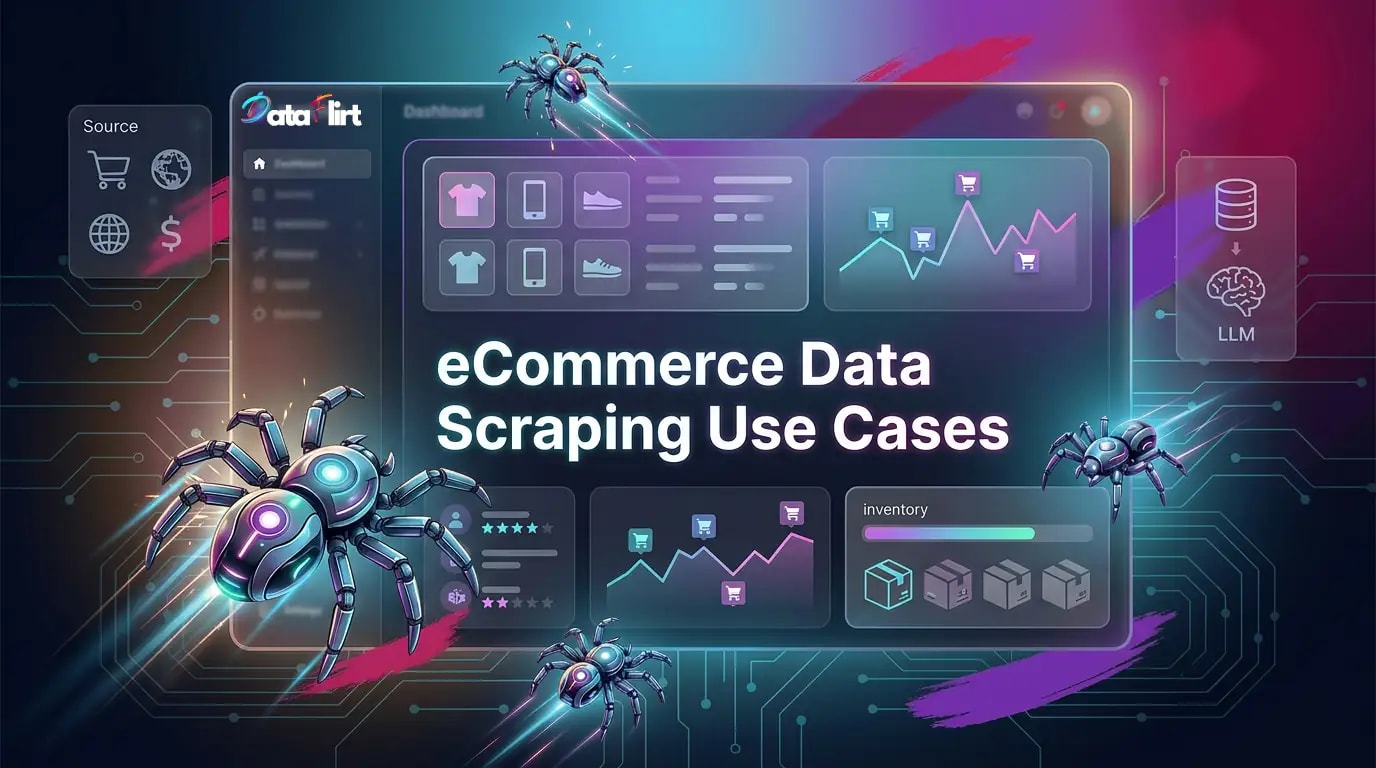

The global eCommerce market crossed USD 6.3 trillion in 2024 and is projected to reach USD 8.1 trillion by 2027. In a market of that magnitude, the difference between a pricing decision made on 48-hour-old competitor data and one made on 4-hour-old data is not academic. It is measurable in margin points. The companies winning the data arms race in eCommerce are not those with the largest internal data science teams. They are those who have built reliable, automated pipelines for extracting, normalizing, and operationalizing publicly available web data at the speed their market moves.
This is not a beginner’s introduction to web scraping. If you need that, start with DataFlirt’s foundational guide on how web scraping works. If you’re a data professional, this guide assumes you understand (theoretically) HTTP request cycles, HTML parsing, and basic data pipeline concepts. What it gives you is the complete map of what eCommerce data to collect, why each data type matters to specific roles, how to architect collection pipelines for both one-off and periodic use cases, and how to wire open-source LLM extraction into your normalization layer so your pipeline does not break every time a retailer redesigns their product page template.
Who should read/bookmark/download this guide?
- Pricing analysts and category managers at retailers and brands
- Catalog and merchandising managers at eCommerce companies
- Data engineers and ML engineers building retail data pipelines
- eCommerce strategists and VPs making assortment and pricing decisions
- Supply chain analysts monitoring inventory and availability signals
- SEO and digital marketing managers tracking SERP and share-of-search data
The State of eCommerce Data in 2026: Why Scraping Is Now Infrastructure
The conversation around eCommerce web scraping use cases shifted decisively between 2022 and 2026. What was once a tactical, ad hoc activity, usually owned by a single analyst running Python scripts on a laptop, is now a core infrastructure component inside forward-thinking retail organizations. Several converging forces drove this shift.
First: pricing velocity increased dramatically. Major marketplaces now update prices algorithmically, sometimes hundreds of times per day per SKU. A competitor’s promotional event can start at 6 AM and expire by noon. A price monitoring pipeline that refreshes every 24 hours missed the entire window. The operational requirement is now sub-4-hour refresh cycles for competitive categories, and sub-1-hour for high-velocity commodity categories like consumer electronics, home goods, and fast-fashion apparel.
Second: catalog complexity exploded. The median large retailer now manages more than 200,000 active SKUs across owned and marketplace inventory. At that scale, manual catalog enrichment is not a viable strategy. Product attribute completeness, which directly correlates with search ranking and conversion rate, requires automated extraction from manufacturer pages, distributor sites, and third-party marketplaces. This is a classic catalog data enrichment web scraping problem, and it is one that most merchandising teams underestimate until they are sitting on a catalog with 40% missing attribute coverage.
Third: review volume became a data asset. Customer reviews on major marketplace platforms number in the billions. The velocity of new review generation is an independent signal of product velocity, quality trajectory, and emerging consumer sentiment shifts. A beauty brand that monitors its competitor’s review patterns in near-real-time can detect a formulation complaint or packaging defect long before it surfaces in analyst reports or media coverage.
Fourth: the open-source tooling matured. The gap between what you can build with Scrapy, Playwright, and an LLM extraction layer versus what you previously had to pay for from commercial data providers has narrowed dramatically. The remaining gap is infrastructure, compliance, and operational expertise, not raw technical capability.
DataFlirt’s perspective: The most underserved eCommerce web scraping use cases in 2026 are not the obvious ones. Everyone is scraping competitor prices. Far fewer organizations are building structured pipelines for review sentiment time-series analysis, share-of-search SERP monitoring, inventory availability correlation with pricing, or LLM-driven catalog attribute normalization. These are where the competitive moats are being built.
The One-Off vs. Periodic Scraping Decision Framework
Before mapping individual eCommerce web scraping use cases, you need to be clear on the architectural choice between one-off scraping and periodic scraping. These are not interchangeable. They serve different strategic and operational purposes, and they require different infrastructure designs.
One-Off eCommerce Web Scraping: When You Need a Deep Snapshot
One-off scraping is the right model when your question is bounded and historical. You need an answer, not a feed. The data you extract will be consumed, analyzed, and then archived. You will not be running this job again next week with the same parameters.
When to choose one-off scraping:
i. Market entry analysis: You are launching a new category and need to understand the competitive landscape: how many sellers are active, what price ranges they occupy, what attribute coverage looks like across the category, and which brands dominate search ranking.
ii. Catalog migration: You are moving from one platform to another and need to extract your existing product data, or backfill missing attributes by scraping manufacturer and distributor sites.
iii. Supplier or distributor audit: You need to verify that a supplier’s product data across multiple retailer sites matches their master catalog, or check MAP (Minimum Advertised Price) compliance across a channel.
iv. Strategic competitive benchmarking: Quarterly or annual exercises where you compare your assortment breadth, pricing tiers, and promotional frequency against a defined peer set.
v. Training data collection: You need a large, labeled dataset of product descriptions, images, and attributes to train a classification or recommendation model. You run the job once, validate the dataset, and move to model development.
Infrastructure for one-off scraping:
One-off jobs do not need a persistent queue or scheduled execution. They need reliability, parallelism, and clean output. The right stack is:
- Scrapy for HTTP-level catalog crawls with a defined URL list
- Playwright for any pages requiring JavaScript rendering
- A flat-file or database output (JSON Lines, Parquet, PostgreSQL) for analysis
- Manual trigger with logging and error reporting
The key engineering discipline for one-off jobs is idempotency: if the job fails midway through 200,000 URLs, you should be able to resume from the checkpoint rather than restart from zero. Scrapy’s HTTPCACHE_ENABLED setting and a Redis-backed seen-URL filter both serve this purpose.
Periodic eCommerce Web Scraping: When Data Freshness Is Revenue
Periodic scraping is the right model when your question is ongoing and the answer changes faster than your decision cycle. You are not asking “what is the price?”. You are asking “how has the price changed, and what pattern does that change follow?”. The infrastructure needs to run unattended, recover from failures automatically, and alert you when data quality degrades.
When to choose periodic scraping:
i. Price monitoring and MAP compliance: Your pricing decisions, promotional responses, and repricing algorithms depend on fresh competitor data. If you sell on marketplaces where algorithmic repricing is active, a 24-hour lag is equivalent to operating blind.
ii. Inventory and availability monitoring: Out-of-stock signals from competitor product pages are a leading indicator of supply disruptions. If a competitor runs out of a key SKU, that is an opportunity window for acquisition and visibility.
iii. Review sentiment tracking: Customer satisfaction trajectories for competing products are best understood as time-series data. A product’s review volume and star rating six months ago tell you something different from where it is trending today.
iv. SERP and share-of-search monitoring: Your organic and paid search visibility for category keywords changes daily. Periodic SERP scraping gives you share-of-search trends that no analytics platform provides natively.
v. Promotional and campaign tracking: Competitor promotional calendars, bundle offers, free shipping thresholds, and loyalty program mechanics change frequently. Periodic scraping lets you build a promotional intelligence calendar automatically.
Infrastructure for periodic scraping:
Periodic jobs require a scheduler, a persistent frontier queue, a deduplication layer, and monitoring. The production stack:
- Scrapy with
scrapy-redisfor distributed queue management - Kubernetes CronJob or a managed scheduler for orchestration
- Redis for URL deduplication and job state persistence
- Prometheus plus Grafana for pipeline health monitoring
- Alerting on CAPTCHA rate, error rate, and data freshness SLA breaches
For teams who want the full architecture deep-dive, DataFlirt’s guide on building a web crawler to extract web data covers the distributed crawler design patterns in detail.
eCommerce Web Scraping Use Case 1: Product Price Monitoring
This is the highest-frequency, highest-ROI eCommerce web scraping use case in retail. It is also the one most teams underengineer. A basic price scraper that records the current listed price is not a price monitoring system. A price monitoring system tracks the listed price, the promotional price, the marketplace seller price distribution, the buy-box winner, the discount percentage, the historical price trajectory, and the relationship between price changes and review volume changes.
Who Needs This: Role-by-Role Breakdown
Pricing analysts: Your core workflow. You need a feed that tells you, for each competitor SKU in your watch list, what the price was at the last check, what it was 24 hours ago, 7 days ago, and 30 days ago. You need to flag SKUs where competitor prices dropped more than 5% in a 48-hour window. You need this as a dashboard you can act on before your morning standup.
Category managers: You need a category-level view: what is the average price point distribution across your category, where is the price clustering happening, and are you pricing into a white space or directly into a competitor cluster? You need this updated weekly for strategic reviews and daily for active promotional periods.
eCommerce managers and marketplaces leads: You need MAP compliance data: which sellers on which platforms are advertising below the MAP floor, at what frequency, and for which SKUs? This is a recurring product price monitoring scraping use case that directly protects channel relationships.
ML engineers and data scientists: You need historical price time-series at SKU level, going back 12 to 24 months, to train demand forecasting models and price elasticity models. This is a hybrid use case: one-off collection of historical data, then periodic maintenance to keep the series current.
The Architecture: From Raw HTML to Price Intelligence Feed
# Virtual environment setup — always first
python -m venv .price-monitor-env
source .price-monitor-env/bin/activate # Windows: .price-monitor-env\Scripts\activate
pip install scrapy scrapy-redis itemadapter psycopg2-binary redis python-dotenv
# spiders/price_monitor_spider.py
# Prerequisites: scrapy, scrapy-redis, itemadapter
# This spider implements a production-grade price monitoring pattern:
# - Reads target URLs from a Redis queue (populated by a separate URL discovery spider)
# - Extracts current price, promotional price, and availability
# - Writes to PostgreSQL via an item pipeline
# - Supports resume-on-failure via scrapy-redis scheduler persistence
import scrapy
import re
from datetime import datetime, timezone
from itemadapter import ItemAdapter
class PriceMonitorSpider(scrapy.Spider):
name = "price_monitor"
custom_settings = {
# scrapy-redis for distributed, resumable queue
"SCHEDULER": "scrapy_redis.scheduler.Scheduler",
"DUPEFILTER_CLASS": "scrapy_redis.dupefilter.RFPDupeFilter",
"REDIS_URL": "redis://localhost:6379",
"SCHEDULER_PERSIST": True,
# Respectful crawl settings
"CONCURRENT_REQUESTS": 32,
"DOWNLOAD_DELAY": 1.0,
"AUTOTHROTTLE_ENABLED": True,
"AUTOTHROTTLE_TARGET_CONCURRENCY": 16,
"ROBOTSTXT_OBEY": True,
# Retry failed requests up to 3 times
"RETRY_TIMES": 3,
"RETRY_HTTP_CODES": [500, 502, 503, 429],
"ITEM_PIPELINES": {
"price_monitor.pipelines.PostgresPricePipeline": 300,
},
"DEFAULT_REQUEST_HEADERS": {
"Accept": "text/html,application/xhtml+xml,application/xml;q=0.9,*/*;q=0.8",
"Accept-Language": "en-GB,en;q=0.9",
},
}
def parse(self, response):
# Extract price: handle multiple price formats
# Listed price (non-promotional)
listed_price_raw = (
response.css("span.price--current::text").get()
or response.css("[data-price]::attr(data-price)").get()
or response.css(".product-price::text").get()
or ""
)
# Promotional / sale price
promo_price_raw = (
response.css("span.price--sale::text").get()
or response.css(".sale-price::text").get()
or ""
)
# Availability
availability = (
response.css("[data-availability]::attr(data-availability)").get()
or response.css(".stock-status::text").get(default="unknown")
)
def clean_price(raw: str) -> float | None:
"""Strip currency symbols and convert to float."""
cleaned = re.sub(r"[^\d.]", "", raw.strip())
try:
return float(cleaned) if cleaned else None
except ValueError:
return None
listed_price = clean_price(listed_price_raw)
promo_price = clean_price(promo_price_raw)
if listed_price is None:
self.logger.warning(f"Could not extract price from {response.url}")
return
yield {
"url": response.url,
"listed_price": listed_price,
"promo_price": promo_price,
"is_on_promotion": promo_price is not None and promo_price < listed_price,
"discount_pct": (
round((listed_price - promo_price) / listed_price * 100, 2)
if promo_price and promo_price < listed_price
else 0.0
),
"availability": availability.strip().lower(),
"scraped_at": datetime.now(timezone.utc).isoformat(),
}
# pipelines.py — PostgreSQL time-series price storage
# Prerequisite: pip install psycopg2-binary
# Table: price_history(id, url, listed_price, promo_price, is_on_promotion, discount_pct, availability, scraped_at)
import psycopg2
import os
class PostgresPricePipeline:
CREATE_TABLE_SQL = """
CREATE TABLE IF NOT EXISTS price_history (
id SERIAL PRIMARY KEY,
url TEXT NOT NULL,
listed_price NUMERIC(12, 2),
promo_price NUMERIC(12, 2),
is_on_promotion BOOLEAN,
discount_pct NUMERIC(5, 2),
availability TEXT,
scraped_at TIMESTAMPTZ NOT NULL DEFAULT NOW()
);
CREATE INDEX IF NOT EXISTS idx_price_history_url ON price_history(url);
CREATE INDEX IF NOT EXISTS idx_price_history_scraped_at ON price_history(scraped_at);
"""
INSERT_SQL = """
INSERT INTO price_history (url, listed_price, promo_price, is_on_promotion, discount_pct, availability, scraped_at)
VALUES (%(url)s, %(listed_price)s, %(promo_price)s, %(is_on_promotion)s, %(discount_pct)s, %(availability)s, %(scraped_at)s)
"""
def open_spider(self, spider):
self.conn = psycopg2.connect(
host=os.getenv("PGHOST", "localhost"),
dbname=os.getenv("PGDATABASE", "ecommerce_intelligence"),
user=os.getenv("PGUSER", "postgres"),
password=os.getenv("PGPASSWORD", ""),
)
self.cursor = self.conn.cursor()
self.cursor.execute(self.CREATE_TABLE_SQL)
self.conn.commit()
def process_item(self, item, spider):
self.cursor.execute(self.INSERT_SQL, dict(item))
self.conn.commit()
return item
def close_spider(self, spider):
self.cursor.close()
self.conn.close()
LLM-Augmented Price Extraction for Schema-Resilient Pipelines
Standard CSS selectors for price extraction break when a retailer redesigns their product page template. For high-value monitoring targets, an LLM extraction fallback adds resilience:
# llm_price_extractor.py
# Prerequisites: pip install google-genai scrapy
# Uses Gemini 3.1 Flash for fast, cost-efficient structured price extraction
# Fallback: if CSS selectors return None, send HTML to Gemini for extraction
import json
from google import genai
from google.genai import types
# Vertex AI mode: set GOOGLE_CLOUD_PROJECT and GOOGLE_CLOUD_LOCATION env vars
# API mode: set GOOGLE_API_KEY env var
client = genai.Client() # auto-detects mode from environment
async def extract_price_with_llm(html: str, url: str) -> dict:
"""
Uses Gemini 3.1 Flash to extract price data from raw HTML.
Returns a structured dict with listed_price, promo_price, availability.
Falls back to None values if extraction fails.
Preferred when CSS selectors are unreliable or when processing
a long-tail of sites without dedicated spider templates.
"""
# Truncate HTML to avoid exceeding context limits;
# 40k chars covers most product page relevant content
truncated_html = html[:40000]
prompt = f"""Extract pricing data from this eCommerce product page HTML.
Return ONLY a valid JSON object with these exact keys:
- listed_price: float or null (the standard/non-sale price)
- promo_price: float or null (the sale/promotional price if present, else null)
- currency: string (3-letter ISO code, e.g. USD, GBP, EUR)
- availability: string (one of: in_stock, out_of_stock, limited_stock, unknown)
- is_on_promotion: boolean
Do not include any explanation or markdown formatting. JSON only.
URL: {url}
HTML:
{truncated_html}"""
try:
response = client.models.generate_content(
model="gemini-3.1-flash-preview",
contents=[types.Part.from_text(prompt)],
config=types.GenerateContentConfig(
response_mime_type="application/json",
temperature=0.1,
max_output_tokens=512,
),
)
return json.loads(response.text)
except (json.JSONDecodeError, Exception) as e:
# Fail gracefully: return null values rather than crashing the pipeline
return {
"listed_price": None,
"promo_price": None,
"currency": None,
"availability": "unknown",
"is_on_promotion": False,
"extraction_error": str(e),
}
# claude_price_extractor.py — Alternative using Anthropic Claude Sonnet
# Prerequisites: pip install anthropic
# Use Claude Sonnet for higher accuracy on complex, nested HTML structures
import json
import anthropic
client = anthropic.Anthropic() # Uses ANTHROPIC_API_KEY env var
async def extract_price_with_claude(html: str, url: str) -> dict:
"""
Uses Claude Sonnet for price extraction on complex product pages.
Claude Sonnet is preferred when HTML structure is deeply nested
or when the page contains multiple price contexts (bundle, variant pricing).
"""
truncated_html = html[:30000]
message = client.messages.create(
model="claude-sonnet-4-6",
max_tokens=1000,
messages=[{
"role": "user",
"content": f"""Extract pricing data from this eCommerce product page HTML.
Return ONLY a valid JSON object with keys:
listed_price (float or null), promo_price (float or null),
currency (ISO 3-letter code), availability (in_stock/out_of_stock/limited_stock/unknown),
is_on_promotion (boolean).
No explanation. JSON only.
URL: {url}
HTML:
{truncated_html}"""
}]
)
raw = message.content[0].text.strip()
# Strip any accidental markdown code fences
raw = raw.replace("```json", "").replace("```", "").strip()
try:
return json.loads(raw)
except json.JSONDecodeError:
return {
"listed_price": None,
"promo_price": None,
"currency": None,
"availability": "unknown",
"is_on_promotion": False,
}
Key insight for pricing analysts: The metric that most pricing teams neglect is promotional frequency, not just promotional depth. A competitor who discounts 30% twice a year is a fundamentally different competitive threat than one who discounts 5% every week. Your product price monitoring scraping pipeline should tag every price event by type (standard, promotional, flash, clearance) and build a promotional frequency calendar per SKU. This is not possible without time-series data; it is entirely possible with a well-designed periodic scraping pipeline.
For teams building MAP compliance monitoring at scale, see DataFlirt’s guide on scraping eCommerce websites for price matching.
eCommerce Web Scraping Use Case 2: Competitor Intelligence and Assortment Analysis
eCommerce competitor intelligence scraping is broader than price monitoring. It encompasses assortment breadth, category hierarchy, new product launch detection, seller strategy on marketplaces, and promotional positioning. When done properly, it tells you not just what your competitors are charging, but what they are betting on.
The Assortment Gap Analysis Use Case
Assortment gap analysis answers the question: what products are your competitors selling that you are not, and what products are you selling that they are not? This is a classic one-off eCommerce web scraping use case that should precede every major buying season.
Who needs it:
- Category buyers making purchase order decisions
- eCommerce managers reviewing assortment strategy
- Brand managers auditing market coverage
What to scrape:
- Full product catalog (all category pages, paginated)
- Product titles and sub-brand names
- Category hierarchy and navigation taxonomy
- New arrival and bestseller designation flags
- Customer rating count as a proxy for sales velocity
One-off implementation with Crawlee (Node.js):
// assortment_crawler.js
// Prerequisites: Node.js 18+, npm install crawlee playwright
// npx playwright install chromium
import { PlaywrightCrawler, Dataset, RequestQueue } from 'crawlee';
// Configuration: adjust selectors to match the target retailer's HTML structure
const CATEGORY_PAGE_SELECTOR = '.product-grid-item, .product-card';
const PRODUCT_TITLE_SELECTOR = 'h2.product-title, .product-name';
const PRODUCT_PRICE_SELECTOR = '.price, [data-price]';
const RATING_COUNT_SELECTOR = '.review-count, [data-review-count]';
const NEXT_PAGE_SELECTOR = 'a[aria-label="Next page"], a.pagination-next';
const NEW_BADGE_SELECTOR = '.badge--new, [data-badge="new"]';
const BESTSELLER_BADGE_SELECTOR = '.badge--bestseller, [data-badge="bestseller"]';
const crawler = new PlaywrightCrawler({
maxConcurrency: 5,
requestHandlerTimeoutSecs: 45,
launchContext: {
launchOptions: {
headless: true,
args: ['--disable-blink-features=AutomationControlled', '--no-sandbox'],
},
},
async requestHandler({ request, page, enqueueLinks, log }) {
const label = request.label || 'CATEGORY';
if (label === 'CATEGORY') {
log.info(`Crawling category page: ${request.url}`);
// Wait for product grid to render (JS-rendered pages)
await page.waitForSelector(CATEGORY_PAGE_SELECTOR, { timeout: 15_000 }).catch(() => {
log.warning(`Product grid not found on ${request.url}`);
});
const products = await page.$$eval(
CATEGORY_PAGE_SELECTOR,
(cards, selectors) =>
cards.map((card) => ({
title: card.querySelector(selectors.title)?.innerText?.trim() ?? '',
price: card.querySelector(selectors.price)?.innerText?.trim() ?? '',
rating_count:
card.querySelector(selectors.ratingCount)?.innerText?.trim() ?? '0',
is_new: card.querySelector(selectors.newBadge) !== null,
is_bestseller: card.querySelector(selectors.bestseller) !== null,
product_url:
card.querySelector('a[href]')?.getAttribute('href') ?? '',
})),
{
title: PRODUCT_TITLE_SELECTOR,
price: PRODUCT_PRICE_SELECTOR,
ratingCount: RATING_COUNT_SELECTOR,
newBadge: NEW_BADGE_SELECTOR,
bestseller: BESTSELLER_BADGE_SELECTOR,
}
);
for (const product of products.filter((p) => p.title)) {
await Dataset.pushData({
...product,
source_url: request.url,
scraped_at: new Date().toISOString(),
});
}
// Follow pagination
await enqueueLinks({
selector: NEXT_PAGE_SELECTOR,
label: 'CATEGORY',
});
}
},
failedRequestHandler({ request, log }) {
log.error(`Failed: ${request.url}`);
},
});
// Seed with category entry points
await crawler.run([
{ url: 'https://example-retailer.com/category/home-appliances', label: 'CATEGORY' },
{ url: 'https://example-retailer.com/category/kitchen', label: 'CATEGORY' },
]);
// Export to JSON for analysis
const dataset = await Dataset.open();
await dataset.exportToJSON('assortment_snapshot.json');
console.log('Assortment crawl complete. Output: assortment_snapshot.json');
Seller and Marketplace Ranking Intelligence
For brands selling through marketplaces, eCommerce competitor intelligence scraping extends to seller-level data: who is selling your brand (authorised and unauthorised), at what price, with what seller rating, and in what buy-box position.
This is a recurring eCommerce web scraping use case for:
- Brand protection and grey market monitoring
- Authorised reseller compliance auditing
- Marketplace strategy teams deciding whether to go direct or continue via third-party sellers
The data points that matter:
| Data Point | Strategic Use |
|---|---|
| Buy-box winner | Identifies which seller controls the default purchase path |
| Seller rating and review count | Signals authorised vs. grey market seller quality |
| Number of competing sellers per ASIN/SKU | Measures category crowding and margin pressure |
| Seller-specific pricing | Reveals whether resellers are competing on price or service |
| Fulfilment method | Prime-eligible vs. third-party fulfilled affects conversion rates |
For the full treatment of marketplace-specific scraping patterns, see DataFlirt’s guide on scraping eCommerce product data.
eCommerce Web Scraping Use Case 3: Catalog Data Enrichment
Catalog data enrichment web scraping is the most underestimated eCommerce web scraping use case in terms of revenue impact. Product attribute completeness, directly measured, correlates with search ranking, filter discoverability, and conversion rate. A product listing with 12 complete attributes outperforms one with 6 attributes in category search, everything else equal.
The problem most merchandising and catalog teams face: their PIM (Product Information Management) system is the authoritative system of record, but it was populated from supplier feeds that were incomplete, inconsistent, or formatted differently across suppliers. The fix is not to go back to suppliers and ask for better feeds. The fix is to scrape the data from the sources that already have it: manufacturer websites, distributor portals, and other marketplace listings.
Who Needs This: Role-by-Role
Catalog managers: You own attribute completeness as a KPI. You need a pipeline that identifies SKUs with missing required attributes, scrapes the likely source of truth for each attribute, and populates the gap in your PIM in a format that passes validation rules.
Merchandising managers: You need product descriptions and marketing copy that meet SEO requirements. Scraping manufacturer sites and editorial product pages gives you raw material that your content team can edit rather than write from scratch.
SEO managers: Title, bullet points, and product description completeness directly affect organic search visibility. A catalog data enrichment web scraping pipeline that surfaces high-performing attribute patterns from competitor listings gives your catalog team a data-driven template for optimization.
Data scientists: Clean, normalized product attributes are prerequisite to building recommendation systems, search ranking models, and demand forecasting models. The quality of your catalog enrichment pipeline is the quality ceiling for your ML applications.
The Attribute Enrichment Pipeline
# catalog_enrichment_spider.py
# Prerequisites: pip install scrapy google-genai
# This spider scrapes product specification pages and uses Gemini
# to normalize raw HTML attribute tables into structured JSON
# matching a target PIM schema.
import scrapy
import asyncio
import json
from google import genai
from google.genai import types
# Target PIM schema — adapt to your actual PIM attribute set
TARGET_SCHEMA = {
"brand": "string",
"model_number": "string",
"color": "string",
"material": "string",
"dimensions_cm": "string (L x W x H)",
"weight_kg": "float",
"power_watts": "float or null",
"certifications": "list of strings",
"warranty_months": "integer or null",
"country_of_origin": "string or null",
}
# Vertex AI mode setup (alternative to API key mode):
# Set GOOGLE_CLOUD_PROJECT=your-project and GOOGLE_CLOUD_LOCATION=us-central1
# Then: client = genai.Client(vertexai=True)
# API mode: set GOOGLE_API_KEY and use client = genai.Client()
client = genai.Client()
class CatalogEnrichmentSpider(scrapy.Spider):
name = "catalog_enricher"
# Input: list of (sku_id, manufacturer_url) tuples
# In production, read this from your PIM or a CSV file
sku_url_pairs = [
("SKU-00123", "https://manufacturer.example.com/product/model-x100"),
("SKU-00124", "https://manufacturer.example.com/product/model-x200"),
]
def start_requests(self):
for sku_id, url in self.sku_url_pairs:
yield scrapy.Request(url, callback=self.parse, cb_kwargs={"sku_id": sku_id})
def parse(self, response, sku_id: str):
# Try structured data first (JSON-LD is reliable when present)
json_ld_blocks = response.css('script[type="application/ld+json"]::text').getall()
structured_data = {}
for block in json_ld_blocks:
try:
parsed = json.loads(block)
if parsed.get("@type") in ("Product", "ItemPage"):
structured_data = parsed
break
except json.JSONDecodeError:
continue
# Extract specification table as raw text (fallback for LLM)
spec_table_text = " | ".join(
response.css("table.specifications td::text, dl.specs dd::text").getall()
)
description_text = response.css(
".product-description, .product-details__description"
).css("::text").getall()
description_text = " ".join(description_text)[:5000]
# Pass to LLM enrichment (synchronous wrapper)
enriched = asyncio.run(self._enrich_with_llm(
sku_id=sku_id,
url=response.url,
structured_data=structured_data,
spec_table=spec_table_text,
description=description_text,
))
yield enriched
async def _enrich_with_llm(
self,
sku_id: str,
url: str,
structured_data: dict,
spec_table: str,
description: str,
) -> dict:
target_schema_str = json.dumps(TARGET_SCHEMA, indent=2)
prompt = f"""You are a product data enrichment assistant for an eCommerce catalog team.
Extract product attributes from the provided data sources and map them to the target schema.
Return ONLY a valid JSON object matching the target schema. Use null for missing attributes.
Do not invent data; only extract what is explicitly present in the sources.
Target schema:
{target_schema_str}
SKU ID: {sku_id}
Source URL: {url}
Structured data (JSON-LD if found):
{json.dumps(structured_data, indent=2)[:3000]}
Specification table text:
{spec_table[:3000]}
Product description:
{description}
JSON output only:"""
try:
response = client.models.generate_content(
model="gemini-3.1-flash-preview",
contents=[types.Part.from_text(prompt)],
config=types.GenerateContentConfig(
response_mime_type="application/json",
temperature=0.0,
max_output_tokens=2048,
),
)
enriched_attrs = json.loads(response.text)
except Exception as e:
self.logger.error(f"LLM enrichment failed for {sku_id}: {e}")
enriched_attrs = {k: None for k in TARGET_SCHEMA}
return {
"sku_id": sku_id,
"source_url": url,
"enriched_attributes": enriched_attrs,
"enrichment_method": "gemini-3.1-flash",
}
DataFlirt’s take on catalog enrichment: The single biggest failure mode in catalog data enrichment web scraping projects is treating it as a one-time exercise. Manufacturers update their product specifications. New certifications get added. Dimensions change when packaging is revised. A catalog enrichment pipeline that runs quarterly misses 75% of attribute updates. The right cadence for high-velocity categories is monthly. For stable categories, quarterly is defensible. But it must be periodic, not one-off.
For deeper coverage of structured data extraction patterns, see DataFlirt’s guide on top scraping tools for extracting structured data with CSS and XPath.
eCommerce Web Scraping Use Case 4: Customer Review and Sentiment Analysis
Customer reviews are public, structured, and generated at extraordinary volume. For eCommerce web scraping use cases, review data sits at the intersection of market research, product development, and brand management.
The Data Points That Matter
Do not scrape just the star rating and review text. The full data model for a review includes:
i. Review text (the qualitative signal) ii. Star rating (the quantitative signal) iii. Review date (the temporal signal: is sentiment improving or declining?) iv. Verified purchase flag (quality signal for the review itself) v. Review vote count (helpfulness as a proxy for representativeness) vi. Reviewer profile attributes where available (geography, purchase history category) vii. Seller response presence and content (brand engagement signal) viii. Image/video attachment presence (product experience depth signal)
Who Uses Review Data and How
Product development teams: What product defects are customers repeatedly mentioning? What features do reviewers consistently praise that your own product is missing? This is competitive product intelligence that no market research firm can generate as fast as a review scraping pipeline.
Brand managers: Review sentiment for your own products vs. competitors, tracked as a time-series, tells you whether your quality trajectory is converging or diverging. A competitor whose average rating is dropping from 4.3 to 3.9 over six months is experiencing a quality problem. If your product is stable at 4.5, that is a window for share gain.
Category managers: Review volume as a proxy for sales velocity. High review count growth rate correlates with strong sales momentum. You can use this signal to prioritize which competitor SKUs to watch most closely.
Digital marketing teams: Review text is the highest-signal source of the exact language your customer uses to describe product problems and benefits. This language belongs in your ad copy, your PDP descriptions, and your category page content.
Production Review Scraper with Playwright and LLM Sentiment Classification
# review_scraper.py
# Prerequisites: pip install playwright google-genai asyncio
# playwright install chromium
# This scraper handles paginated review sections that require JavaScript rendering.
# LLM-powered sentiment classification and topic extraction are applied post-scrape.
import asyncio
import json
from playwright.async_api import async_playwright
from google import genai
from google.genai import types
# Vertex AI mode: genai.Client(vertexai=True) with GOOGLE_CLOUD_PROJECT set
# API mode: genai.Client() with GOOGLE_API_KEY set
llm_client = genai.Client()
async def scrape_reviews(product_url: str, max_pages: int = 10) -> list[dict]:
"""
Scrapes paginated review sections from a product page.
Waits for JS rendering on each page load.
Returns a list of raw review dicts.
Note: Selector values below are illustrative.
You must inspect the target site and update selectors accordingly.
"""
reviews = []
async with async_playwright() as pw:
browser = await pw.chromium.launch(headless=True)
context = await browser.new_context(
viewport={"width": 1366, "height": 768},
user_agent=(
"Mozilla/5.0 (Windows NT 10.0; Win64; x64) "
"AppleWebKit/537.36 (KHTML, like Gecko) "
"Chrome/124.0.0.0 Safari/537.36"
),
)
page = await context.new_page()
# Block images and fonts to reduce bandwidth
await page.route(
"**/*.{png,jpg,jpeg,gif,webp,woff,woff2}",
lambda route: route.abort()
)
await page.goto(product_url, wait_until="domcontentloaded", timeout=30_000)
for page_num in range(1, max_pages + 1):
# Wait for review container
try:
await page.wait_for_selector(".review-list, [data-reviews]", timeout=10_000)
except Exception:
break # No more review pages
page_reviews = await page.evaluate("""() => {
const items = document.querySelectorAll('.review-item, [data-review-id]');
return Array.from(items).map(el => ({
review_id: el.dataset.reviewId || '',
rating: parseInt(el.querySelector('[data-rating]')?.dataset.rating
|| el.querySelector('.star-rating')?.dataset.value || '0', 10),
title: el.querySelector('.review-title, h3')?.innerText?.trim() || '',
text: el.querySelector('.review-body, .review-text')?.innerText?.trim() || '',
date: el.querySelector('.review-date, time')?.getAttribute('datetime')
|| el.querySelector('.review-date')?.innerText?.trim() || '',
verified: el.querySelector('.verified-purchase') !== null,
helpful_votes: parseInt(
el.querySelector('.helpful-count')?.innerText?.replace(/\D/g, '') || '0',
10
),
}));
}""")
reviews.extend([r for r in page_reviews if r.get("text")])
# Click next page button
next_btn = await page.query_selector("a.reviews-next-page, button[aria-label='Next']")
if not next_btn:
break
await next_btn.click()
await asyncio.sleep(1.5)
await browser.close()
return reviews
async def classify_review_sentiment(reviews: list[dict]) -> list[dict]:
"""
Uses Gemini 3.1 Pro to classify review sentiment and extract topics.
Processes reviews in batches of 10 to stay within token limits.
Returns reviews with added: sentiment, topics, key_phrase fields.
"""
batch_size = 10
enriched = []
for i in range(0, len(reviews), batch_size):
batch = reviews[i: i + batch_size]
batch_text = json.dumps(
[{"id": j, "text": r["text"], "rating": r["rating"]}
for j, r in enumerate(batch)],
ensure_ascii=False,
)
prompt = f"""Analyze these product reviews and classify each one.
For each review, return a JSON object with:
- id: the original id field (integer)
- sentiment: one of (positive, negative, neutral, mixed)
- topics: list of product aspect strings mentioned (e.g. ["packaging", "battery life", "size"])
- key_phrase: a single sentence capturing the main point of the review
Return ONLY a JSON array of objects. No explanation.
Reviews:
{batch_text}"""
try:
response = llm_client.models.generate_content(
model="gemini-3.1-pro-preview",
contents=[types.Part.from_text(prompt)],
config=types.GenerateContentConfig(
response_mime_type="application/json",
temperature=0.1,
max_output_tokens=4096,
),
)
classifications = json.loads(response.text)
# Map classifications back to reviews by position index
clf_by_id = {c["id"]: c for c in classifications}
for j, review in enumerate(batch):
clf = clf_by_id.get(j, {})
enriched.append({
**review,
"sentiment": clf.get("sentiment", "unknown"),
"topics": clf.get("topics", []),
"key_phrase": clf.get("key_phrase", ""),
})
except Exception as e:
# Graceful degradation: include reviews without classification
for review in batch:
enriched.append({**review, "sentiment": "unknown", "topics": [], "key_phrase": ""})
return enriched
async def main():
product_url = "https://example-retailer.com/product/model-x100/reviews"
raw_reviews = await scrape_reviews(product_url, max_pages=5)
print(f"Scraped {len(raw_reviews)} reviews")
enriched_reviews = await classify_review_sentiment(raw_reviews)
with open("enriched_reviews.jsonl", "w") as f:
for review in enriched_reviews:
f.write(json.dumps(review) + "\n")
print("Output written to enriched_reviews.jsonl")
asyncio.run(main())
For broader context on review data pipelines, see DataFlirt’s guides on scraping customer reviews and eCommerce reviews data.
eCommerce Web Scraping Use Case 5: SERP and Share-of-Search Intelligence
Organic search visibility is a revenue-generating asset in eCommerce, and most organizations track it inadequately. Standard SEO platforms track your own rankings. They do not give you share-of-search: the percentage of organic results pages for a category keyword set that are occupied by your products vs. competitors.
Share-of-search is a proxy for brand health. Several independent studies have established that share-of-search at the category level is a leading indicator of market share, typically running 6 to 12 months ahead of actual market share shifts in consumer categories. If you are losing share-of-search in your category, you are likely losing market share in that category before your sales data shows it.
The SERP Scraping Architecture for eCommerce
For eCommerce competitor intelligence scraping at the SERP level, you need:
i. A defined keyword universe: all category keywords where your products or your competitors’ products are likely to appear (typically 200 to 2,000 keywords for a single category) ii. A periodic SERP scraper that records position, title, URL, and snippet for each keyword at defined intervals (daily for core category terms, weekly for long-tail) iii. A normalization layer that maps each URL to a brand and seller entity iv. A share-of-search calculation engine: for each keyword, what percentage of the top 10 results belong to each brand?
This is a periodic eCommerce web scraping use case that runs continuously. It is also sensitive: search engines actively detect and block scraping activity. The right open-source stack pairs curl_cffi for TLS fingerprint spoofing with residential proxy rotation and a circuit breaker pattern for adaptive rate control.
# serp_monitor.py
# Prerequisites: pip install curl_cffi selectolax asyncio
# curl_cffi provides TLS fingerprint spoofing critical for SERP scraping
# selectolax is a C-backed parser ~10x faster than BeautifulSoup for large-scale parsing
import asyncio
import json
from dataclasses import dataclass, field, asdict
from datetime import datetime, timezone
from typing import Optional
from curl_cffi.requests import AsyncSession
from selectolax.parser import HTMLParser
@dataclass
class SERPResult:
keyword: str
position: int
title: str
url: str
displayed_url: str
snippet: str
scraped_at: str = field(default_factory=lambda: datetime.now(timezone.utc).isoformat())
def parse_serp(html: str, keyword: str) -> list[SERPResult]:
"""
Parses Google SERP HTML using selectolax.
Targets organic result divs by data attributes that are more
stable across Google's periodic layout changes than class names.
Note: Google HTML structure changes; validate selectors periodically.
"""
parser = HTMLParser(html)
results = []
position = 0
for div in parser.css("div[data-hveid]"):
title_node = div.css_first("h3")
if not title_node:
continue
title = title_node.text(strip=True)
if not title:
continue
link_node = div.css_first("a[href]")
if not link_node:
continue
url = link_node.attributes.get("href", "")
if not url.startswith("http") or "google.com" in url:
continue
snippet_node = div.css_first("[data-sncf]") or div.css_first("span[lang]")
snippet = snippet_node.text(strip=True) if snippet_node else ""
cite_node = div.css_first("cite")
displayed_url = cite_node.text(strip=True) if cite_node else url
position += 1
results.append(SERPResult(
keyword=keyword,
position=position,
title=title,
url=url,
displayed_url=displayed_url,
snippet=snippet,
))
if position >= 10:
break
return results
async def fetch_serp(keyword: str, proxy: Optional[str] = None) -> list[SERPResult]:
"""
Fetches Google SERP for a keyword with Chrome TLS fingerprint spoofing.
proxy: optional residential proxy URL, e.g. http://user:pass@host:port
"""
proxies = {"https": proxy, "http": proxy} if proxy else None
async with AsyncSession(impersonate="chrome124") as session:
params = {"q": keyword, "hl": "en", "gl": "us", "num": "10"}
headers = {
"Accept": "text/html,application/xhtml+xml,application/xml;q=0.9,*/*;q=0.8",
"Accept-Language": "en-US,en;q=0.9",
"Sec-Fetch-Dest": "document",
"Sec-Fetch-Mode": "navigate",
"Sec-Fetch-Site": "none",
"Sec-Fetch-User": "?1",
"Upgrade-Insecure-Requests": "1",
}
try:
response = await session.get(
"https://www.google.com/search",
params=params,
headers=headers,
proxies=proxies,
timeout=20,
)
response.raise_for_status()
if "sorry/index" in response.text or "recaptcha" in response.text.lower():
print(f"[WARN] CAPTCHA triggered for keyword: {keyword}")
return []
return parse_serp(response.text, keyword)
except Exception as e:
print(f"[ERROR] SERP fetch failed for '{keyword}': {e}")
return []
async def run_share_of_search(keywords: list[str], brand_domain_map: dict) -> dict:
"""
Runs share-of-search calculation across a keyword set.
brand_domain_map: dict mapping brand name to list of domain strings
e.g. {"BrandA": ["brandA.com", "brandA.co.uk"], "BrandB": ["brandB.com"]}
Returns share-of-search % per brand across the keyword set.
"""
brand_hit_counts = {brand: 0 for brand in brand_domain_map}
total_results = 0
tasks = [fetch_serp(kw) for kw in keywords]
all_results = await asyncio.gather(*tasks)
for kw_results in all_results:
for result in kw_results:
total_results += 1
for brand, domains in brand_domain_map.items():
if any(domain in result.url for domain in domains):
brand_hit_counts[brand] += 1
break
share_of_search = {
brand: round(count / total_results * 100, 2) if total_results else 0
for brand, count in brand_hit_counts.items()
}
return {"total_results_analyzed": total_results, "share_of_search": share_of_search}
# Example usage
async def main():
keywords = [
"best stand mixer",
"stand mixer 5qt",
"stand mixer for baking",
"kitchen stand mixer review",
]
brand_domain_map = {
"YourBrand": ["yourbrand.com"],
"CompetitorA": ["competitora.com"],
"CompetitorB": ["competitorb.com"],
}
sos = await run_share_of_search(keywords, brand_domain_map)
print(json.dumps(sos, indent=2))
asyncio.run(main())
For the full guide on SERP scraping infrastructure, see DataFlirt’s coverage of top tools for scraping Google Search results.
eCommerce Web Scraping Use Case 6: Inventory and Availability Intelligence
Out-of-stock monitoring is one of the most actionable yet least-discussed eCommerce web scraping use cases. When a competitor runs out of a high-demand SKU, the window for visibility capture is narrow and commercially significant. Brands and retailers who detect competitor out-of-stock events within hours can respond with targeted paid media, stock push to marketplace search algorithms, and promotional activations.
The Three Signals That Matter
1. Availability status: Is the product listed as in stock, out of stock, or limited availability? This is a binary signal at point-in-time, but as a time-series it becomes a supply pattern signal.
2. Lead time or shipping delay: Many retailers, when low on stock, extend the estimated delivery window rather than marking a product out-of-stock outright. A product that switches from “ships in 1-2 days” to “ships in 2-3 weeks” is effectively out-of-stock for the majority of intent-to-purchase sessions. This is a signal most competitor monitoring systems miss entirely.
3. Seller count on marketplace listings: On platforms with multiple sellers, the number of active sellers for a given SKU is a proxy for supply health. If a SKU drops from 12 sellers to 3 sellers in 48 hours, a supply disruption is in progress.
Role-by-Role Applications
Supply chain and inventory planners: Competitor out-of-stock signals are leading indicators of category-level supply disruptions. If three major competitors run out of a shared component product simultaneously, you may be facing the same supply constraint. Early visibility allows you to prioritize inbound shipments before your own stock depletes.
Marketing and eCommerce managers: Out-of-stock events from competitors are an acquisition opportunity. Paid search campaigns on competitor brand terms, combined with strong in-stock positioning messaging, have measurably higher ROAS during competitor stock-out windows.
Buyers and category managers: Availability data combined with price data tells you whether competitor stock-outs are triggering pricing changes. If a competitor runs out of stock and the remaining sellers raise prices, that is a supply/demand signal you can act on in your own pricing model.
For more context on how availability data fits into broader eCommerce strategy, see DataFlirt’s guide on eCommerce product data APIs and live scraping for price comparison.
eCommerce Web Scraping Use Case 7: Demand Forecasting and Trend Detection
This is a data science and ML-engineering use case, and it is where eCommerce web scraping use cases meet statistical modeling. The inputs to a demand forecasting model that can be sourced from web scraping include:
i. Historical price time-series per SKU (from periodic product price monitoring scraping) ii. Review volume growth rate per SKU (proxy for sales velocity trajectory) iii. Star rating trajectory per SKU (quality signal correlated with repurchase rate) iv. SERP position history for category keywords (leading indicator of search-driven demand) v. Share-of-search trends (market-level demand signal) vi. Promotional frequency and depth history (promotional uplift signal for elasticity modeling) vii. New product launch signals from competitor catalog pages (category disruption signal)
None of these inputs require access to competitor internal sales data. All of them are available from public web sources, scraped on a periodic cadence and stored as time-series in a columnar database.
The Data Science Perspective: What You Can Build
With 12 months of historical data from a well-structured eCommerce web scraping use cases pipeline, a data science team can build:
- Price elasticity models at SKU and category level, quantifying how a 5% price change on a competitor SKU historically affects your unit volume
- Promotional uplift models that estimate the incremental volume from a promotional event, using competitor promotion history as the training signal
- Demand signal dashboards that give category buyers a forward-looking view of demand based on search trends, review velocity, and competitive pricing pressure
- Market share early warning systems that flag categories where share-of-search is declining before it manifests in revenue data
Data Pipeline Architecture for ML Feature Generation
# feature_pipeline.py
# Transforms raw scraped eCommerce data into ML-ready feature vectors
# Prerequisites: pip install pandas numpy scikit-learn psycopg2-binary
import pandas as pd
import numpy as np
from datetime import datetime, timezone
import psycopg2
import os
def load_price_history(sku_url: str, days: int = 365) -> pd.DataFrame:
"""Load price time-series for a single SKU URL from PostgreSQL."""
conn = psycopg2.connect(
host=os.getenv("PGHOST", "localhost"),
dbname=os.getenv("PGDATABASE", "ecommerce_intelligence"),
user=os.getenv("PGUSER", "postgres"),
password=os.getenv("PGPASSWORD", ""),
)
query = """
SELECT scraped_at, listed_price, promo_price, is_on_promotion, availability
FROM price_history
WHERE url = %s
AND scraped_at >= NOW() - INTERVAL '%s days'
ORDER BY scraped_at ASC
"""
df = pd.read_sql_query(query, conn, params=(sku_url, days))
conn.close()
df["scraped_at"] = pd.to_datetime(df["scraped_at"], utc=True)
df = df.set_index("scraped_at")
return df
def compute_price_features(df: pd.DataFrame) -> dict:
"""
Derives ML-ready price features from a price history DataFrame.
Returns a feature dict suitable for model input or database storage.
"""
if df.empty:
return {}
# Resample to daily frequency, forward-filling gaps
daily = df["listed_price"].resample("D").last().ffill()
promo_daily = df["is_on_promotion"].resample("D").max().fillna(False)
features = {
# Price level features
"price_mean_30d": float(daily.tail(30).mean()),
"price_std_30d": float(daily.tail(30).std()),
"price_min_30d": float(daily.tail(30).min()),
"price_max_30d": float(daily.tail(30).max()),
"price_range_30d": float(daily.tail(30).max() - daily.tail(30).min()),
# Price trend features
"price_pct_change_7d": float(
(daily.iloc[-1] - daily.iloc[-7]) / daily.iloc[-7] * 100
if len(daily) >= 7 and daily.iloc[-7] != 0 else 0
),
"price_pct_change_30d": float(
(daily.iloc[-1] - daily.iloc[-30]) / daily.iloc[-30] * 100
if len(daily) >= 30 and daily.iloc[-30] != 0 else 0
),
# Promotion features
"promo_days_30d": int(promo_daily.tail(30).sum()),
"promo_frequency_30d": float(promo_daily.tail(30).mean()),
# Volatility: coefficient of variation
"price_cv_30d": float(
daily.tail(30).std() / daily.tail(30).mean()
if daily.tail(30).mean() != 0 else 0
),
}
return features
# Example: batch feature computation for a list of SKUs
def build_feature_matrix(sku_url_list: list[str]) -> pd.DataFrame:
rows = []
for url in sku_url_list:
history = load_price_history(url, days=90)
features = compute_price_features(history)
if features:
features["sku_url"] = url
features["computed_at"] = datetime.now(timezone.utc).isoformat()
rows.append(features)
return pd.DataFrame(rows)
For teams building demand forecasting pipelines on scraped eCommerce data, see DataFlirt’s foundational guides on predictive analysis with web scraping and eCommerce alternative data.
eCommerce Web Scraping Use Case 8: Flash Sales and Promotional Calendar Intelligence
Flash sales intelligence is a time-critical eCommerce web scraping use case. Flash sales, limited-time offers, and bundle promotions exist in a narrow time window, often less than 24 hours, and their detection requires a scraping cadence that most standard monitoring pipelines do not support.
The competitive intelligence value of flash sale detection is in promotional strategy calibration: how frequently does a given competitor run flash events, at what depth, on which SKU categories, and at what times of day or week? This is pattern intelligence, not price intelligence, and it requires time-series data with high temporal resolution.
Required scraping cadence for flash sale detection: Every 1 to 4 hours for high-velocity categories. Every 8 to 12 hours for standard categories.
What to detect:
| Signal | Detection Method |
|---|---|
| Price drops > 15% within 4 hours | Price delta comparison in time-series |
| Flash sale banner or countdown timer | CSS selector on promotional banner elements |
| Limited quantity messaging | Text pattern matching on availability text |
| Bundle offer detection | Product page structure change: multiple SKUs in a single offer block |
| Free shipping threshold change | Shipping information section monitoring |
For deeper coverage of flash sale data use cases in retail, see DataFlirt’s dedicated guide on flash sales data with web scraping.
eCommerce Web Scraping Use Case 9: Brand Protection and Grey Market Monitoring
For brand owners selling through multi-channel distribution networks, unauthorized reselling, counterfeiting, and grey market activity are persistent revenue and brand equity risks. eCommerce web scraping use cases in this domain include:
i. Monitoring all marketplace seller listings for your brand’s products ii. Detecting sellers listing at below-MAP prices iii. Identifying product listings that use your brand assets but are likely counterfeit (image reverse-search combined with attribute comparison) iv. Tracking unauthorized distribution through resellers in channels not covered by your distribution agreements
Who needs this:
- Brand protection teams at consumer goods companies
- Legal and compliance teams at brands with strict MAP policies
- eCommerce channel managers ensuring distributor compliance
This is a recurring eCommerce web scraping use case: grey market activity is ongoing, not a one-time problem. A monthly scraping job that checks all marketplace listings for your top-100 SKUs is the minimum viable monitoring setup. Weekly is better for categories with high grey market activity.
eCommerce Web Scraping Use Case 10: Image Data Harvesting and Visual Catalog Intelligence
Product imagery is a conversion lever that most eCommerce organizations underestimate as a data problem. The number of images per listing, the presence of lifestyle photography vs. product-only shots, the use of infographic overlays, video thumbnails, and 360-degree viewer availability are all signals that differentiate top-performing listings from underperforming ones.
Image data scraping as an eCommerce web scraping use case has two distinct applications:
Application A: Competitive visual benchmarking. How many images does the average top-ranked competitor listing have in your category? What image types are present: studio white, lifestyle in-use, packaging, size-reference, infographic? What resolution standards are being met? This is a one-off research exercise that informs your catalog photography investment priorities.
Application B: Catalog image completeness auditing. For retailers managing large catalogs sourced from multiple suppliers, image completeness varies enormously across SKUs. An automated audit that scrapes your own marketplace listings, compares image count and quality signals against a benchmark, and flags underperforming SKUs gives your merchandising team an action list rather than a manual audit burden.
Image URL Extraction and Metadata Scraping
# image_data_extractor.py
# Prerequisites: pip install scrapy Pillow requests
# This spider extracts product image URLs, then downloads image metadata
# (dimensions, format, file size) without storing full image files.
# Image metadata is sufficient for most competitive benchmarking use cases.
import scrapy
import requests
from PIL import Image
from io import BytesIO
import json
class ProductImageSpider(scrapy.Spider):
name = "product_images"
custom_settings = {
"CONCURRENT_REQUESTS": 16,
"DOWNLOAD_DELAY": 1.5,
"AUTOTHROTTLE_ENABLED": True,
"ROBOTSTXT_OBEY": True,
}
# Seed URLs: product detail pages to audit
start_urls = [
"https://example-retailer.com/product/model-x100",
"https://example-retailer.com/product/model-x200",
]
def parse(self, response):
# Extract image URLs from product gallery
# Targets JSON-LD structured data first (most reliable)
image_urls = []
json_ld_blocks = response.css('script[type="application/ld+json"]::text').getall()
for block in json_ld_blocks:
try:
data = json.loads(block)
if data.get("@type") == "Product":
img = data.get("image", [])
if isinstance(img, str):
image_urls = [img]
elif isinstance(img, list):
image_urls = img
break
except json.JSONDecodeError:
continue
# Fallback: scrape gallery element src attributes
if not image_urls:
image_urls = response.css(
".product-gallery img::attr(src), "
".product-images img::attr(data-src), "
".pdp-images img::attr(src)"
).getall()
# Resolve relative URLs
image_urls = [response.urljoin(url) for url in image_urls if url]
# Collect metadata for each image (without storing files)
image_metadata = []
for url in image_urls[:20]: # Cap at 20 images per product
meta = self._get_image_metadata(url)
if meta:
image_metadata.append(meta)
yield {
"product_url": response.url,
"image_count": len(image_urls),
"images": image_metadata,
"has_video": bool(
response.css(".product-video, [data-video-url], iframe[src*='youtube']").get()
),
"has_360_viewer": bool(
response.css("[data-360-viewer], .view-360, .product-360").get()
),
}
def _get_image_metadata(self, url: str) -> dict | None:
"""Fetch image and extract metadata. Returns None on failure."""
try:
resp = requests.get(url, timeout=10, stream=True)
resp.raise_for_status()
content_length = int(resp.headers.get("Content-Length", 0))
content_type = resp.headers.get("Content-Type", "")
# Only download enough bytes to decode dimensions (first 64KB usually sufficient)
image_bytes = b""
for chunk in resp.iter_content(chunk_size=65536):
image_bytes += chunk
break
img = Image.open(BytesIO(image_bytes))
width, height = img.size
return {
"url": url,
"width": width,
"height": height,
"format": img.format,
"file_size_bytes": content_length,
"content_type": content_type,
}
except Exception:
return None
LLM-Powered Image Type Classification
Once you have image URLs, an LLM with vision capability can classify each image by type, enabling comparative analysis of visual merchandising strategies across competitors:
# image_classifier.py
# Prerequisites: pip install google-genai requests Pillow
# Uses Gemini 3.1 Flash image-preview for product image type classification
# Note: gemini-3.1-flash-image-preview supports multimodal (text + image) input
import asyncio
import base64
import json
import requests
from google import genai
from google.genai import types
client = genai.Client()
def fetch_image_as_base64(url: str) -> tuple[str, str] | None:
"""Download an image URL and return (base64_data, mime_type) tuple."""
try:
resp = requests.get(url, timeout=10)
resp.raise_for_status()
mime_type = resp.headers.get("Content-Type", "image/jpeg").split(";")[0]
b64_data = base64.standard_b64encode(resp.content).decode("utf-8")
return b64_data, mime_type
except Exception:
return None
async def classify_product_image(image_url: str) -> dict:
"""
Classifies a product image by type using Gemini Flash image-preview.
Image types: studio_white, lifestyle, packaging, infographic, size_reference,
360_frame, video_thumbnail, detail_closeup, unknown.
Returns: dict with image_url, image_type, confidence, description.
"""
image_data = fetch_image_as_base64(image_url)
if not image_data:
return {"image_url": image_url, "image_type": "unknown", "error": "fetch_failed"}
b64_data, mime_type = image_data
prompt = """Classify this eCommerce product image.
Return ONLY a JSON object with:
- image_type: one of (studio_white, lifestyle, packaging, infographic, size_reference, 360_frame, video_thumbnail, detail_closeup, unknown)
- confidence: float 0.0 to 1.0
- description: one sentence describing what the image shows
No explanation. JSON only."""
try:
response = client.models.generate_content(
model="gemini-3.1-flash-image-preview",
contents=[
types.Part.from_bytes(
data=base64.standard_b64decode(b64_data),
mime_type=mime_type,
),
types.Part.from_text(prompt),
],
config=types.GenerateContentConfig(
response_mime_type="application/json",
temperature=0.1,
max_output_tokens=256,
),
)
result = json.loads(response.text)
result["image_url"] = image_url
return result
except Exception as e:
return {"image_url": image_url, "image_type": "unknown", "error": str(e)}
eCommerce Web Scraping Use Case 11: Dynamic Pricing Strategy Calibration
One of the most consultative eCommerce web scraping use cases is using scraped competitive price data to calibrate and validate your own dynamic pricing rules. This is not purely a technical problem; it sits at the intersection of pricing strategy, data engineering, and organizational change management.
The Common Failure Mode: Rules Without Context
Most eCommerce businesses operate repricing rules that look like this: “If competitor A’s price drops below our price, match it within 2 hours.” This is a reactive rule. It tells you nothing about whether the competitor’s price drop is a promotional event (temporary), a cost-reduction pass-through (permanent), or an error in their automated repricing logic (do not match). Acting on all price drops identically is costly: you may be permanently reducing margin on a category that the competitor is temporarily clearing.
The fix is context-aware repricing, powered by product price monitoring scraping data:
Promotional context detection: Is this price drop accompanied by a promotional badge, countdown timer, or sale event landing page? If yes, flag it as promotional and apply a time-limited match rule rather than a permanent price adjustment.
Historical frequency context: Is this competitor’s price at this level unprecedented, or have they been at this price level before? If they oscillated between price A and price B four times in the last 90 days, this drop is likely a recurring promotional cycle, not a strategic repositioning.
Competitor assortment context: Is the competitor in-stock on this SKU, or is this a clearance event on excess inventory? Out-of-stock combined with a price drop is a clearance signal. In-stock combined with a price drop is a competitive positioning signal. The response should be different.
Category-level vs. SKU-level context: Is the competitor dropping prices across an entire category (systematic repositioning) or on a single SKU (targeted competitive response)? Category-level drops warrant a strategic response. Single-SKU drops may warrant a narrower tactical response.
None of this context is available from a single-point-in-time price check. All of it is available from a well-designed periodic product price monitoring scraping pipeline with a minimum 90-day historical depth.
The Pricing Intelligence Schema for Strategy Calibration
# pricing_context_analyzer.py
# Takes historical price data and generates contextual signals
# for use by a pricing strategy team or dynamic pricing engine
# Prerequisites: pip install pandas numpy psycopg2-binary
import pandas as pd
import numpy as np
from datetime import datetime, timezone, timedelta
import psycopg2
import os
from dataclasses import dataclass
from typing import Optional
@dataclass
class PricingContextSignal:
sku_url: str
current_price: float
is_likely_promotional: bool
promotional_evidence: list[str]
price_position_vs_90d_avg: float # pct above/below 90-day average
price_volatility_category: str # low, medium, high
competitor_stock_status: str # in_stock, out_of_stock, limited
recommended_response: str # match, hold, monitor, counter
confidence_score: float
analysis_timestamp: str
def analyze_pricing_context(sku_url: str) -> Optional[PricingContextSignal]:
"""
Analyzes historical price data for a competitor SKU and generates
a contextual signal for the pricing strategy team.
This is a consultative function: it does not make the pricing decision,
it gives the pricing team the context they need to make it intelligently.
"""
conn = psycopg2.connect(
host=os.getenv("PGHOST", "localhost"),
dbname=os.getenv("PGDATABASE", "ecommerce_intelligence"),
user=os.getenv("PGUSER", "postgres"),
password=os.getenv("PGPASSWORD", ""),
)
query = """
SELECT scraped_at, listed_price, promo_price, is_on_promotion, availability
FROM price_history
WHERE url = %s AND scraped_at >= NOW() - INTERVAL '90 days'
ORDER BY scraped_at ASC
"""
df = pd.read_sql_query(query, conn, params=(sku_url,))
conn.close()
if df.empty or len(df) < 5:
return None
df["scraped_at"] = pd.to_datetime(df["scraped_at"], utc=True)
df = df.sort_values("scraped_at")
current_price = float(df["listed_price"].iloc[-1])
current_promo = bool(df["is_on_promotion"].iloc[-1])
current_availability = str(df["availability"].iloc[-1])
# 90-day average price (non-promotional only for clean baseline)
non_promo = df[df["is_on_promotion"] == False]["listed_price"]
avg_90d = float(non_promo.mean()) if not non_promo.empty else float(df["listed_price"].mean())
price_position_vs_avg = round((current_price - avg_90d) / avg_90d * 100, 2)
# Price volatility: coefficient of variation
cv = float(df["listed_price"].std() / df["listed_price"].mean()) if df["listed_price"].mean() != 0 else 0
volatility_category = "low" if cv < 0.05 else "medium" if cv < 0.15 else "high"
# Promotional frequency in last 30 days
last_30d = df[df["scraped_at"] >= df["scraped_at"].max() - timedelta(days=30)]
promo_freq_30d = float(last_30d["is_on_promotion"].mean())
# Promotional evidence signals
evidence = []
if current_promo:
evidence.append("active_promotional_flag")
if promo_freq_30d > 0.3:
evidence.append(f"high_promo_frequency_30d_{promo_freq_30d:.0%}")
if price_position_vs_avg < -10:
evidence.append(f"price_{abs(price_position_vs_avg):.0f}pct_below_90d_avg")
if "out_of_stock" in current_availability or "limited" in current_availability:
evidence.append("low_or_no_stock")
is_likely_promotional = current_promo or (len(evidence) >= 2)
# Response recommendation logic
if "out_of_stock" in current_availability:
recommendation = "hold" # Competitor clearing stock; do not permanently match
confidence = 0.8
elif is_likely_promotional and promo_freq_30d > 0.5:
recommendation = "monitor" # Highly promotional competitor; time-limited match only
confidence = 0.75
elif price_position_vs_avg < -15 and not is_likely_promotional:
recommendation = "match" # Likely strategic repositioning
confidence = 0.7
elif -5 <= price_position_vs_avg <= 5:
recommendation = "hold" # Minor fluctuation; within normal range
confidence = 0.85
else:
recommendation = "monitor"
confidence = 0.6
return PricingContextSignal(
sku_url=sku_url,
current_price=current_price,
is_likely_promotional=is_likely_promotional,
promotional_evidence=evidence,
price_position_vs_90d_avg=price_position_vs_avg,
price_volatility_category=volatility_category,
competitor_stock_status=current_availability,
recommended_response=recommendation,
confidence_score=confidence,
analysis_timestamp=datetime.now(timezone.utc).isoformat(),
)
DataFlirt’s consulting note: The single highest-value investment a pricing team can make in their product price monitoring scraping infrastructure is adding the promotional context layer. The average eCommerce category sees promotional activity 35 to 60% of the time on any given week. A pricing engine that treats promotional prices as permanent prices is systematically eroding margin on categories where the correct response is to hold price during competitor promotional windows and let the competitor’s promotional economics work against them.
Role-Based Data Consumption Guide: Who Gets What, at What Cadence
The same raw eCommerce web scraping use cases data serves radically different purposes depending on who is consuming it. This section maps each organizational role to their specific data requirements, refresh cadence, and output format.
Pricing Analyst
Data consumed: Listed price, promotional price, discount percentage, promotion type tag, availability, buy-box winner on marketplaces.
Refresh cadence: Every 1 to 4 hours for core competitive SKUs. Every 8 to 12 hours for secondary watch list.
Output format: Dashboard with price delta alerts, MAP violation report (daily digest), weekly price position summary by category.
Key derived metrics:
- Price index vs. competition (your price / category average price)
- Promotional frequency by competitor and by category
- Days below MAP per seller per SKU per month
- Share of time at price parity vs. premium vs. discount vs. each competitor
One-off vs. periodic split: Primarily periodic. One-off for strategic benchmarking exercises before major repricing events (e.g., pre-holiday season competitive positioning).
Category Manager and Buyer
Data consumed: Assortment breadth by category, new product launch signals, new arrival flags, bestseller designation, review volume growth rate (as a sales velocity proxy), brand distribution across sellers.
Refresh cadence: Weekly for assortment monitoring. Daily during active buying seasons.
Output format: Category gap analysis report (monthly), new product launch alert (near real-time), assortment overlap heatmap (quarterly).
Key derived metrics:
- Assortment overlap index: what percentage of competitor SKUs do you also carry?
- Category white space: product segments where competitors have coverage and you do not
- New arrival velocity: how many new SKUs is each competitor adding per month?
- Review velocity rank: which competitor SKUs are gaining review count fastest?
One-off vs. periodic split: Mix of both. One-off for strategic assortment reviews. Periodic for ongoing new arrival and review velocity monitoring.
eCommerce SEO and Digital Marketing Manager
Data consumed: SERP position for category keywords, share-of-search by brand, competitor ad copy and promotional messaging on PDPs, review keyword themes.
Refresh cadence: Daily for core category keywords. Weekly for long-tail keyword universe.
Output format: Share-of-search trend dashboard (weekly), keyword position delta report (daily), competitor messaging audit (monthly).
Key derived metrics:
- Share-of-search percentage by keyword cluster
- Average SERP position by brand across keyword universe
- Competitor promotional message frequency and themes
- Review keyword cloud: most frequent terms in positive vs. negative reviews
One-off vs. periodic split: Primarily periodic. One-off for keyword universe expansion and competitor ad copy deep-dives.
Supply Chain and Inventory Planner
Data consumed: Competitor product availability status, lead time text from PDPs, seller count on marketplace listings, new product launch signals (upcoming products affect demand for existing ones).
Refresh cadence: Every 4 to 8 hours for strategic category SKUs. Daily for broader monitoring.
Output format: Out-of-stock event alert (near real-time), availability trend dashboard, supply disruption early warning report.
Key derived metrics:
- Competitor out-of-stock frequency and duration per SKU
- Lead time extension events (signal of impending stockout before formal out-of-stock flag)
- Seller count trajectory on marketplace listings
- Category-level in-stock rate across competitors (supply health index)
One-off vs. periodic split: Primarily periodic. One-off for supplier audit exercises.
Data Scientist and ML Engineer
Data consumed: Everything, but specifically time-series of price, promotion, availability, review volume, review rating, and SERP position, with full historical depth (12 to 24 months minimum).
Refresh cadence: Continuous appending to time-series tables. Feature computation on a daily or weekly batch schedule.
Output format: Structured feature tables in a columnar database (Parquet on S3, BigQuery, Redshift, or Snowflake), JSON-L for model training datasets, labeled review datasets for NLP model fine-tuning.
Key derived metrics (as ML features):
- Price elasticity coefficient at SKU and category level
- Promotional uplift factor (volume change per percentage point of promotional depth)
- Review sentiment trajectory slope (is quality improving or declining?)
- Share-of-search momentum (rate of change, not just level)
- Demand signal composite (combining review velocity, SERP position, price changes)
One-off vs. periodic split: One-off for initial historical dataset collection. Periodic for continuous feature updates.
Brand Manager
Data consumed: Review sentiment trends for own brand and competitors, image and content quality on marketplace listings for own brand (unauthorized listing detection), promotional messaging from competitors.
Refresh cadence: Weekly for review trends. Daily for unauthorized listing monitoring during peak seasons.
Output format: Brand health dashboard (review sentiment over time), unauthorized listing alert (near real-time during peak), competitor campaign intelligence report (monthly).
Key derived metrics:
- Net sentiment score by product line vs. competition
- Review response rate and quality for own vs. competitor brand
- Unauthorized seller count by marketplace and SKU
- Competitor campaign messaging frequency and theme tracking
Anti-Detection Considerations Specific to eCommerce Targets
eCommerce web scraping use cases come with a specific set of anti-bot challenges that differ from general web scraping:
JavaScript rendering is nearly universal. Modern eCommerce product pages are predominantly rendered client-side by React, Vue, or Angular applications. Product prices are often injected by JavaScript after the initial HTML document loads, which means HTTP-only scrapers using Scrapy or curl_cffi will miss them. The correct two-tier approach: use Scrapy for category-level URL discovery (static pagination HTML), and Playwright for product detail page price and attribute extraction (JS-rendered content).
Personalization and A/B testing create non-deterministic responses. Many eCommerce sites dynamically modify pricing, promotional messaging, and even product attributes based on user location, device type, logged-in status, and A/B test cohort. A scraper that has been cookied into an experimental cohort may be seeing prices that 95% of real users never see. Always scrape from clean browser contexts with no cookies from previous sessions. Playwright’s BrowserContext isolation handles this correctly when configured with storage_state=None.
Geo-targeted pricing is common. Many retailers show different prices to users in different geographies. If your competitive intelligence requires price parity with what your customers see, your scraping infrastructure must use proxy exit nodes in the same geography as your customers. This is not an anti-detection concern; it is a data accuracy concern.
Rate limiting on product pages is tighter than on category pages. Retailers can tolerate high request rates on their category landing pages (they want users to browse). They implement much tighter rate limiting on product detail pages, where they detect scraping activity more aggressively. Configure separate rate limits for category-level crawls vs. PDP-level crawls. A DOWNLOAD_DELAY of 0.5 seconds may be appropriate for category pages; 2 to 3 seconds is more appropriate for PDPs.
Infinite scroll and lazy-loaded content require scroll simulation. Category pages that use infinite scroll require either Playwright scroll simulation or discovery of the underlying API endpoint that the scroll event triggers (often a cleaner solution). Always check the Network tab in browser DevTools before building a scraper for an infinite-scroll page; the API endpoint approach is faster and more reliable than scroll simulation.
For the full anti-bot bypass methodology relevant to eCommerce targets, see DataFlirt’s guides on best approaches to scraping dynamic JavaScript sites without getting blocked and 7 reasons your scraper keeps getting blocked.
Building the eCommerce Data Quality Layer
Raw scraped eCommerce data is not usable data. Between the spider output and the analytics or ML consumption layer, you need a data quality pipeline that handles the following failure modes:
Price extraction errors: A CSS selector that returns “Free” or “Log in for price” or a button text string instead of a numeric price is a silent failure. Your price validation layer must reject non-numeric price values and flag the source URL for manual review.
Currency inconsistency: International eCommerce scraping surfaces prices in multiple currencies. Without a normalization layer that converts all prices to a single base currency using the exchange rate at time of scraping, your price comparisons are meaningless. Store both the raw price, the raw currency code, and the base-currency-normalized price.
Availability text normalization: “Only 3 left,” “In stock,” “Ships in 2-3 weeks,” “Temporarily unavailable,” and “Sold out” are all availability signals that need to be mapped to a controlled vocabulary (in_stock, limited_stock, out_of_stock, unknown) before they are queryable.
Deduplication: Periodic scrapers will re-scrape the same URL at each run. Your ingestion pipeline needs a deduplication layer that identifies and handles duplicates: for time-series data, duplicates should be retained with timestamps; for catalog data, the most recent record should supersede older records with the same natural key.
Schema drift detection: When a retailer updates their page template, your CSS selectors may silently return empty strings or wrong values. A data quality monitor that alerts when the proportion of null or empty extractions for a given field exceeds 5% of records in a time window catches schema drift before it silently corrupts your dataset.
# data_quality_validator.py
# Validates and normalizes scraped price records before database insertion
# Prerequisites: pip install pydantic
from pydantic import BaseModel, validator, Field
from typing import Optional
import re
AVAILABILITY_NORMALIZATION = {
"in stock": "in_stock",
"in-stock": "in_stock",
"available": "in_stock",
"add to cart": "in_stock",
"buy now": "in_stock",
"out of stock": "out_of_stock",
"out-of-stock": "out_of_stock",
"sold out": "out_of_stock",
"unavailable": "out_of_stock",
"temporarily unavailable": "out_of_stock",
"limited stock": "limited_stock",
"only a few left": "limited_stock",
"ships in": "limited_stock", # Extended lead time = effectively limited
}
class PriceRecord(BaseModel):
url: str
listed_price: Optional[float] = None
promo_price: Optional[float] = None
currency: str = "USD"
is_on_promotion: bool = False
discount_pct: float = 0.0
availability_raw: str = ""
availability: str = "unknown"
@validator("listed_price", pre=True)
def parse_listed_price(cls, v):
if v is None:
return None
if isinstance(v, (int, float)):
return float(v) if float(v) > 0 else None
cleaned = re.sub(r"[^\d.]", "", str(v).strip())
try:
price = float(cleaned)
return price if price > 0 else None
except ValueError:
return None
@validator("promo_price", pre=True)
def parse_promo_price(cls, v):
if v is None:
return None
if isinstance(v, (int, float)):
return float(v) if float(v) > 0 else None
cleaned = re.sub(r"[^\d.]", "", str(v).strip())
try:
price = float(cleaned)
return price if price > 0 else None
except ValueError:
return None
@validator("availability", pre=True, always=True)
def normalize_availability(cls, v, values):
raw = values.get("availability_raw", "") or v or ""
raw_lower = raw.strip().lower()
for pattern, normalized in AVAILABILITY_NORMALIZATION.items():
if pattern in raw_lower:
return normalized
return "unknown"
@validator("discount_pct", always=True)
def compute_discount(cls, v, values):
listed = values.get("listed_price")
promo = values.get("promo_price")
if listed and promo and promo < listed:
return round((listed - promo) / listed * 100, 2)
return 0.0
@validator("is_on_promotion", always=True)
def set_promotion_flag(cls, v, values):
listed = values.get("listed_price")
promo = values.get("promo_price")
return bool(promo and listed and promo < listed)
def validate_and_normalize(raw_record: dict) -> dict | None:
"""
Validates a raw scraped price record.
Returns None if the record fails critical validation (e.g., missing price).
Returns a normalized dict suitable for database insertion.
"""
try:
record = PriceRecord(**raw_record)
if record.listed_price is None:
return None # Cannot use a record with no price
return record.dict()
except Exception:
return None
Measuring ROI on eCommerce Web Scraping Infrastructure
Data teams building eCommerce web scraping use cases pipelines are often asked to justify the infrastructure investment. Here is a practical ROI framework:
Pricing intelligence ROI: A 1% improvement in gross margin on a USD 100 million revenue category is USD 1 million. If a price monitoring pipeline enables you to avoid one unnecessary price match per quarter by correctly identifying a competitor’s promotional event (rather than a strategic repositioning), and the avoided price match affects a USD 5 million category at a 2% depth, you have recovered USD 100,000 in margin from a single correct decision. The infrastructure to support this pipeline costs significantly less annually.
Catalog enrichment ROI: Studies consistently show that improving product attribute completeness from 60% to 90% in a category increases category search visibility by 15 to 25% and conversion rate by 5 to 12%. On a USD 10 million GMV category, a 10% conversion rate improvement is USD 1 million in incremental revenue. Catalog data enrichment web scraping pipelines that automate attribute population are measurably cheaper than the manual labor alternative.
Review sentiment ROI: Detecting a quality defect in a product line through review sentiment monitoring and responding with a product update or communication campaign before the issue reaches media coverage is a brand equity preservation exercise. The cost of a PR crisis from a product quality issue that went undetected for 6 months because no one was monitoring reviews is multiples of the cost of a review scraping pipeline.
Share-of-search ROI: If share-of-search is a leading indicator of market share (and the empirical evidence across multiple consumer categories supports this), then a share-of-search monitoring pipeline gives marketing leadership a 6 to 12-month forward warning of revenue decline. The value of that warning is the value of the corrective actions it enables.
DataFlirt’s perspective: The ROI case for eCommerce web scraping use cases is not primarily a cost savings case. It is a revenue and margin protection case. The organizations that treat web scraping infrastructure as a cost center rather than a revenue-enabling asset consistently underinvest in data quality, refresh cadence, and analytical depth, and then wonder why their pricing and assortment decisions consistently lag behind better-informed competitors.
Scaling eCommerce Web Scraping to Production: The Reference Architecture
Having mapped the individual eCommerce web scraping use cases, here is the full production reference architecture that a mature eCommerce data team should operate.
The Two-Tier Crawling Model
┌────────────────────────────────────────────────────┐
│ URL DISCOVERY TIER │
│ Scrapy spider crawls category pages │
│ Extracts product URLs → Redis queue │
│ Runs: daily (full catalog), hourly (new arrivals) │
└─────────────────────┬──────────────────────────────┘
│
┌─────────────────────▼──────────────────────────────┐
│ PRODUCT DATA EXTRACTION TIER │
│ Tier A: Scrapy HTTP workers (static PDPs) │
│ Tier B: Playwright workers (JS-rendered PDPs) │
│ Tier C: Camoufox (bot-protected targets) │
│ All tiers write to: PostgreSQL (time-series) │
│ + S3 (raw HTML archive) │
└─────────────────────┬──────────────────────────────┘
│
┌─────────────────────▼──────────────────────────────┐
│ LLM NORMALIZATION TIER │
│ Gemini 3.1 Flash: attribute extraction │
│ Claude Sonnet: complex schema mapping │
│ Output: normalized JSON → PIM / data warehouse │
└─────────────────────┬──────────────────────────────┘
│
┌─────────────────────▼──────────────────────────────┐
│ ANALYTICS AND ALERTING TIER │
│ Price change alerts (Prometheus + Grafana) │
│ Share-of-search dashboard (Metabase) │
│ Review sentiment feed (Kafka → data warehouse) │
│ MAP violation reports (daily email digest) │
└────────────────────────────────────────────────────┘
Kubernetes Deployment for Periodic Scraping
# kubernetes/price-monitor-cronjob.yaml
# Runs the price monitoring spider every 4 hours
# Requires: scrapy-redis configured, Redis service in cluster
apiVersion: batch/v1
kind: CronJob
metadata:
name: price-monitor-spider
namespace: ecommerce-intelligence
spec:
schedule: "0 */4 * * *"
concurrencyPolicy: Forbid
successfulJobsHistoryLimit: 3
failedJobsHistoryLimit: 5
jobTemplate:
spec:
template:
spec:
containers:
- name: price-monitor
image: your-registry/scrapy-ecommerce:latest
env:
- name: REDIS_URL
valueFrom:
secretKeyRef:
name: redis-credentials
key: url
- name: PGHOST
valueFrom:
secretKeyRef:
name: postgres-credentials
key: host
- name: PGDATABASE
value: ecommerce_intelligence
- name: PGUSER
valueFrom:
secretKeyRef:
name: postgres-credentials
key: username
- name: PGPASSWORD
valueFrom:
secretKeyRef:
name: postgres-credentials
key: password
command:
- scrapy
- crawl
- price_monitor
resources:
requests:
memory: "512Mi"
cpu: "250m"
limits:
memory: "1Gi"
cpu: "500m"
restartPolicy: OnFailure
For broader eCommerce infrastructure guidance, see DataFlirt’s guide on large-scale web scraping data extraction challenges.
Compliance Considerations for eCommerce Web Scraping
Every eCommerce web scraping use case in this guide involves publicly accessible data. Product prices, catalog attributes, customer reviews, and SERP results are all public. But “publicly accessible” is not the same as “freely usable for any purpose without legal exposure.”
The four compliance dimensions every eCommerce data team must address:
1. Terms of Service (ToS): Most retailer and marketplace sites include ToS provisions that restrict automated access. These provisions are not universally enforceable, but they create legal risk in jurisdictions where courts have enforced them. Always get a legal review before building commercial-scale scraping pipelines against any specific target.
2. GDPR and CCPA: If your scraping pipeline surfaces personal data, whether that is reviewer names on customer review pages, seller personal information on marketplace listings, or any other PII, you are subject to GDPR in the EU and CCPA in California. Privacy-by-design means stripping PII at the collection stage, not the analysis stage.
3. Rate limits and server burden: Even legally permissible scraping can expose you to claims of technical interference if conducted at rates that meaningfully burden a target server. AUTOTHROTTLE_ENABLED in Scrapy, respectful inter-request delays, and robots.txt compliance are not just ethical practices; they are legal risk mitigants.
4. Intellectual property: Product images scraped from manufacturer or retailer sites carry copyright. You can use them as references for catalog enrichment matching, but you cannot reproduce them in your own storefront without a license.
For the full compliance framework, see DataFlirt’s dedicated guides on web scraping GDPR and top scraping compliance and legal considerations.
The eCommerce Data Maturity Model: Where Does Your Organization Sit?
Not every organization is ready for the full reference architecture described above. Pushing teams to build distributed Kubernetes-deployed spider clusters before they have validated the core use case and data quality requirements is a common and expensive mistake. Here is a practical maturity model for eCommerce web scraping use cases adoption:
Level 1: Ad hoc and manual. Pricing decisions are made by analysts manually visiting competitor sites. No structured data collection. No historical data. The competitive intelligence cycle is weeks, not hours. Most retail organizations with under USD 50 million in online revenue operate at this level.
Level 2: Script-driven, single-user. One or two analysts run Python scripts using BeautifulSoup and httpx to collect price data on an irregular schedule. Data is stored in spreadsheets. There is no operational monitoring, no alert system, and no historical depth beyond what the analyst manually archived. This is the most common failure mode in mid-market retail: the data collection exists, but it is brittle, person-dependent, and not operationalized.
Level 3: Scheduled, structured, single-use-case. A proper Scrapy spider runs on a schedule, writes to a PostgreSQL database, and feeds a dashboard. The pipeline is monitored. A single use case (usually price monitoring) is supported reliably. Data quality validation is partial. This is where the ROI of web scraping begins to be measurable.
Level 4: Multi-use-case, team-served. Multiple pipelines serve multiple use cases: price monitoring, review sentiment, SERP tracking, and catalog enrichment all run as independent periodic jobs. Different teams consume different data products from the same underlying infrastructure. LLM extraction is in use for catalog enrichment. Data quality is systematically monitored.
Level 5: Integrated, ML-enabled, organizationally embedded. Scraped data feeds live ML models (dynamic pricing engine, demand forecasting, recommendation system). The data engineering team owns the scraping infrastructure as a first-class product. Data consumers across pricing, catalog, marketing, and supply chain all have self-service access to relevant data products. New eCommerce web scraping use cases are evaluated and deployed in a structured framework with defined SLAs for data freshness, quality, and coverage.
The path from Level 1 to Level 5 does not require a massive upfront investment. It requires starting with one high-value use case, building it properly (with data quality validation, monitoring, and a repeatable architecture pattern), demonstrating measurable ROI, and then expanding. Most organizations should start with product price monitoring scraping because the ROI is fastest and the stakeholders (pricing and category teams) are the most immediately responsive to data-driven decision-making.
The Consultant’s Checklist: Before You Build Your eCommerce Scraping Pipeline
Before you write a single line of spider code, answer these questions. They determine your architecture, cadence, and tooling choices.
Strategic scoping:
- What specific business decision does this data enable? Be precise.
- Who will consume the data, and how? (Dashboard, API, model input, analyst export)
- What is the acceptable data latency? (Hourly, daily, weekly, monthly)
- Is this a one-off research exercise or a persistent operational feed?
- What is the financial value of the insight? Does it justify infrastructure investment?
Technical requirements:
- Are the target pages static HTML or JavaScript-rendered? (Determines Scrapy vs. Playwright)
- Does the target site use aggressive bot detection? (Determines whether Camoufox is needed)
- How many target URLs are in scope? (Determines concurrency, queue, and scheduling requirements)
- What is the output schema, and does it match your PIM or data warehouse structure?
- Do you need historical data, or only current data?
Compliance:
- Have you reviewed the target site’s robots.txt and ToS?
- Does the scraping activity involve any PII that triggers GDPR or CCPA obligations?
- Is your proxy infrastructure sourced from a provider with appropriate consent frameworks?
Operations:
- Who owns the pipeline when something breaks at 2 AM?
- What is your alert threshold for data freshness SLA breach?
- How will you detect silent failures (scraper runs but returns garbage due to site template change)?
DataFlirt’s Recommended Reading for eCommerce Data Teams
For teams building end-to-end eCommerce intelligence infrastructure, these DataFlirt resources map directly to the use cases covered in this guide:
Foundational eCommerce scraping:
- eCommerce product data scraping
- Scraping eCommerce websites for price matching
- Alternative data for eCommerce
- eCommerce reviews data scraping
- How to avoid eCommerce mistakes with web scraping
Pipeline and infrastructure:
- Building a web crawler to extract web data
- Large-scale web scraping data extraction challenges
- Best databases for storing scraped data at scale
- 5 best IP rotation strategies for high-volume scraping
- Best scraping tools powered by LLMs in 2026
Compliance and strategy:
- Web scraping GDPR
- Top scraping compliance and legal considerations
- Data crawling ethics and best practices
- SEO data scraping for eCommerce websites
Competitive and market intelligence:
- Datasets for competitive intelligence
- Predictive analysis with web scraping
- Flash sales data with web scraping
- Live scraping for price comparison
Frequently Asked Questions
When should I use one-off scraping versus periodic eCommerce web scraping?
One-off eCommerce web scraping is ideal for market entry analysis, catalog migration, supplier audits, and competitive benchmarking where you need a deep snapshot of data without ongoing infrastructure. Periodic scraping is the right model for price monitoring, inventory tracking, review sentiment pipelines, and demand forecasting where data freshness directly impacts revenue decisions. Most mature eCommerce data teams run both in parallel: one-off jobs for strategic research and scheduled crawls for operational intelligence.
What types of eCommerce data are most valuable to scrape?
The most actionable eCommerce data types include product pricing and promotional history, inventory availability signals, customer review text and star ratings, product catalog attributes, seller and marketplace ranking data, and structured specifications for category-level comparison. For demand forecasting, search ranking position and share-of-search metrics are equally critical.
Which teams inside an eCommerce company benefit most from scraped data?
Pricing analysts and category managers benefit from real-time price and promotion data. Merchandising and catalog teams rely on scraped attribute data for enrichment and gap analysis. Supply chain and inventory planners use availability signals as an early warning system. SEO and digital marketing teams consume SERP position and share-of-search data. Data scientists and ML engineers build demand forecasting models on historical price and review datasets. Each role needs a different output schema and refresh cadence.
What is the best open-source stack for eCommerce web scraping?
The most resilient production architecture combines Scrapy for high-throughput HTTP crawling, Playwright or Camoufox for JavaScript-heavy product pages and infinite scroll, scrapy-redis for distributed queue management, and an LLM extraction layer using Gemini 3.1 Flash or Claude Sonnet for schema-resilient attribute parsing. Pair this with PostgreSQL or a columnar store for time-series price history and a Redis-backed deduplication layer to avoid redundant crawls.
Is eCommerce web scraping legal?
The primary legal considerations are the target site’s Terms of Service, whether the scraped data includes personal information governed by GDPR or CCPA, and whether the scraping activity constitutes unfair competition under applicable trade law. Publicly accessible product pricing, catalog data, and review text are generally scrape-permissible in most jurisdictions, but you should always obtain legal review for commercial-scale pipelines, particularly those targeting EU domains where GDPR applies to any PII surfaced in scraped content.
How do I scale eCommerce web scraping to millions of product pages?
For large catalogs, the right architecture uses Scrapy with AUTOTHROTTLE_ENABLED and scrapy-redis for distributed frontier management. Deploy multiple worker pods on Kubernetes, each consuming from a shared Redis queue. Use Playwright only for pages that require JavaScript rendering, typically product detail pages and infinite-scroll category pages. Wire an LLM extraction layer at the parsing stage for catalog attribute normalization, so schema changes on the target site degrade gracefully rather than breaking your pipeline entirely.