
Amazon lists a price as $149.99. Best Buy lists the same SKU as 149.99. Newegg lists it as $149.99 USD. Target lists it as “Now $149.99.” None of these four records join on price without work first. That’s normalization, not scraping. It’s a separate engineering problem. This post builds the pipeline that solves it.
What normalization actually means for scraped data
Data normalization maps every raw field to one shape. A price becomes a number. It loses its currency symbol and its formatting. A date becomes one ISO 8601 string. The source page’s original format stops mattering. Cleaning removes noise from a single record. Normalization forces every record into a shared structure.
Scraped data has this problem worse than most sources. A CRM defines one price field from day one. A scraper pulling from ten retailer sites inherits ten formatting conventions. Each one shipped before the data ever reaches your pipeline.
Four retailers, one product, four different records
Take a 1TB NVMe SSD sold on four sites. Amazon, Best Buy, Newegg, and Target. Each site returns one record for the same product. Here’s what four raw records look like before any processing runs. The numbers below are illustrative, not live pricing.
| Field | Amazon | Best Buy | Newegg | Target |
|---|---|---|---|---|
| Capacity | 1TB | 1000GB | 1,000 GB | 1 TB |
| Price | $149.99 | 149.99 | $149.99 USD | Now $149.99 |
| Scraped at | 2026-07-14 | 07/14/2026 | 14 Jul 2026 | 2026-07-14T09:00:00Z |
| Stock | In Stock | Available | Yes | true |
Every site built its own frontend independently. None of them coordinate on a shared data standard. The format differences aren’t a scraping mistake. They’re baked into the source HTML, before a single line of extraction code runs.
Designing a canonical schema
A canonical schema is the target shape every source maps to. Define it before writing any parsing code. Fix the field names, the types, and the units in advance. Every retailer’s raw record then translates into this one shape, not the other way around.
A minimal version for this example:
gtin: nullable stringtitle: stringbrand: stringcapacity_gb: integerprice_usd: decimal, always USDin_stock: booleanretailer: stringscraped_at: ISO 8601 timestamp
Two fields need explicit rules before anything else. A missing gtin needs null handling. It shouldn’t silently become the string "None" in a downstream join. A price stored as text needs type casting to a real decimal, done once, in one place, not scattered across every script that touches the field.
A working normalization pipeline
The pipeline runs three parsing steps per record, then assembles a canonical record from the result. Parse the price. Normalize the capacity. Standardize the timestamp. Here’s a working version in Python.
# Normalize raw scraped SSD records into one canonical schema
import re
from datetime import datetime, timezone

def parse_price(raw: str) -> float:
    """Strip currency symbols, labels, and separators. Return a float."""
    cleaned = re.sub(r"[^\d.]", "", raw.replace(",", ""))  # keep digits and dot only
    return round(float(cleaned), 2)

def normalize_capacity_gb(raw: str) -> int:
    """Convert '1TB', '1,000 GB', '1 TB' into one integer GB value."""
    raw = raw.replace(",", "").strip().upper()
    if "TB" in raw:
        value = float(re.sub(r"[^\d.]", "", raw))
        return int(value * 1000)  # matches retailer convention: 1TB == 1000GB
    return int(re.sub(r"[^\d.]", "", raw))

def normalize_timestamp(raw: str) -> str:
    """Parse four different date formats into one ISO 8601 UTC string."""
    formats = ["%Y-%m-%d", "%m/%d/%Y", "%d %b %Y", "%Y-%m-%dT%H:%M:%SZ"]
    for fmt in formats:
        try:
            dt = datetime.strptime(raw, fmt).replace(tzinfo=timezone.utc)
            return dt.isoformat()
        except ValueError:
            continue
    raise ValueError(f"Unrecognized date format: {raw}")

def normalize_stock(raw) -> bool:
    """Map each retailer's own stock signal to a single boolean."""
    truthy = {"in stock", "available", "yes", "true"}
    return str(raw).strip().lower() in truthy

def build_canonical_record(raw: dict, gtin: str | None = None) -> dict:
    """Assemble one canonical record from a raw scraped dict."""
    return {
        "gtin": gtin,                                        # null until matched
        "retailer": raw["retailer"],
        "capacity_gb": normalize_capacity_gb(raw["capacity"]),
        "price_usd": parse_price(raw["price"]),
        "in_stock": normalize_stock(raw["stock"]),
        "scraped_at": normalize_timestamp(raw["scraped_at"]),
    }
Sample input, four raw records straight off four scrapers:
raw_records = [
    {"retailer": "amazon", "capacity": "1TB", "price": "$149.99",
     "scraped_at": "2026-07-14", "stock": "In Stock"},
    {"retailer": "bestbuy", "capacity": "1000GB", "price": "149.99",
     "scraped_at": "07/14/2026", "stock": "Available"},
    {"retailer": "newegg", "capacity": "1,000 GB", "price": "$149.99 USD",
     "scraped_at": "14 Jul 2026", "stock": "Yes"},
    {"retailer": "target", "capacity": "1 TB", "price": "Now $149.99",
     "scraped_at": "2026-07-14T09:00:00Z", "stock": "true"},
]
Running build_canonical_record over each raw dict produces:
[
  {"gtin": null, "retailer": "amazon",  "capacity_gb": 1000, "price_usd": 149.99, "in_stock": true, "scraped_at": "2026-07-14T00:00:00+00:00"},
  {"gtin": null, "retailer": "bestbuy", "capacity_gb": 1000, "price_usd": 149.99, "in_stock": true, "scraped_at": "2026-07-14T00:00:00+00:00"},
  {"gtin": null, "retailer": "newegg",  "capacity_gb": 1000, "price_usd": 149.99, "in_stock": true, "scraped_at": "2026-07-14T00:00:00+00:00"},
  {"gtin": null, "retailer": "target",  "capacity_gb": 1000, "price_usd": 149.99, "in_stock": true, "scraped_at": "2026-07-14T09:00:00+00:00"}
]
Four inconsistent records become four identical shapes. That’s what makes a join possible, a chart accurate, or a pricing model trainable at all. On a production pipeline, this step runs before delivery. The CSV, JSON, or live API you receive already matches this shape, standard practice across DataFlirt’s e-commerce data pipelines.
International retailers add a currency problem
Not every source prices in the same currency. A European retailer might return €139,99. The comma there is a decimal separator, not a thousands separator. Currency normalization has to detect the currency and fix the separator before price parsing runs at all.
CURRENCY_SYMBOLS = {"$": "USD", "€": "EUR", "£": "GBP"}

def parse_price_intl(raw: str, fx_to_usd: dict) -> tuple[float, str]:
    """Detect currency, fix the decimal separator, convert to USD."""
    symbol = next((s for s in CURRENCY_SYMBOLS if s in raw), "$")
    currency = CURRENCY_SYMBOLS[symbol]
    digits = raw.replace(symbol, "").strip()
    if currency == "EUR":
        digits = digits.replace(".", "").replace(",", ".")  # EU format swap
    else:
        digits = digits.replace(",", "")                    # US thousands separator
    price_native = round(float(digits), 2)
    return round(price_native * fx_to_usd[currency], 2), currency
parse_price_intl("€139,99", {"EUR": 1.08}) returns (151.19, "EUR"). The price lands in price_usd for comparison. The original currency stays on the record too, in case the conversion rate needs a second look later.
Matching the same product across sources
A GTIN or UPC is the cleanest join key. GS1 issues GTINs as a global standard, but plenty of retailer catalog data omits the field anyway, especially on private-label listings. Amazon shows an ASIN instead, not a GTIN, UPC, or MPN. Without a shared identifier, matching becomes an entity resolution problem, not a database join.
from rapidfuzz import fuzz

def composite_key(brand: str, title: str, capacity_gb: int) -> str:
    """Build a fallback join key when no GTIN is present."""
    normalized_title = re.sub(r"[^a-z0-9 ]", "", title.lower())
    return f"{brand.lower()}|{normalized_title}|{capacity_gb}"

def title_similarity(title_a: str, title_b: str) -> int:
    """Score 0-100. Above 90 is treated as the same product."""
    return fuzz.token_sort_ratio(title_a.lower(), title_b.lower())
The fallback is a composite key: brand, normalized title, and capacity together. Fuzzy matching on title text catches near-duplicates a strict string match would miss. The full matching pattern is its own engineering problem, worth a dedicated look if GTIN coverage on your target sites runs thin.
From a match to one merged record
Matching tells you which records describe the same product. Merging decides which value wins when they disagree. On a recurring crawl, yesterday’s record and today’s record often collide on the same key.
def upsert_record(store: dict, record: dict) -> None:
    """Insert or update a canonical record, keyed on GTIN or composite key."""
    key = record["gtin"] or composite_key(
        record["brand"], record["title"], record["capacity_gb"]
    )
    existing = store.get(key)
    if existing is None or record["scraped_at"] > existing["scraped_at"]:
        store[key] = record  # newest scrape wins on conflict
An upsert handles this: insert a new product, update an existing one, keyed on the composite key or the GTIN. Incremental scraping runs this same pipeline on new records only, not the full catalog on every run.
Catching bad data before it ships
A parsing bug doesn’t always throw an error. $14.99 instead of $149.99 still parses as a valid float. It just parses to the wrong number, and nothing about that fails loudly.
def flag_price_outlier(price_usd: float, recent_prices: list[float]) -> bool:
    """Flag a price more than 50% off the recent median for manual review."""
    if not recent_prices:
        return False
    median = sorted(recent_prices)[len(recent_prices) // 2]
    return abs(price_usd - median) / median > 0.5
Data validity checks catch this before delivery, not after a dashboard shows an SSD at $14.99. A range check against recent prices for the same product flags the outlier for manual review. This runs as the last step, right before the record leaves the pipeline.
Where normalized data pays off
Competitive price monitoring is the clearest payoff. A pricing analyst tracking four competitors needs one price field. Not four string formats to parse by hand. Normalized data also feeds MAP-violation alerts and assortment tracking. Both are dead on arrival without a shared schema first.
This matters most on a recurring feed, not a one-time pull. Prices change daily on most retail sites. A pipeline built for scheduled crawls keeps the schema stable. It holds even as source sites redesign the pages underneath it.
What breaks as the catalog grows
A schema built for four retailers holds up fine at four. At forty, a source site redesigns its page. A field silently goes missing. That’s schema drift. It’s the most common failure mode in a pipeline running for months, not days.
Deduplication and normalization need to run before delivery, not get left for whoever opens the file. Where a spec sheet is free-form text instead of a structured field, AI-assisted extraction pulls out a capacity or a brand a rigid selector would miss entirely.
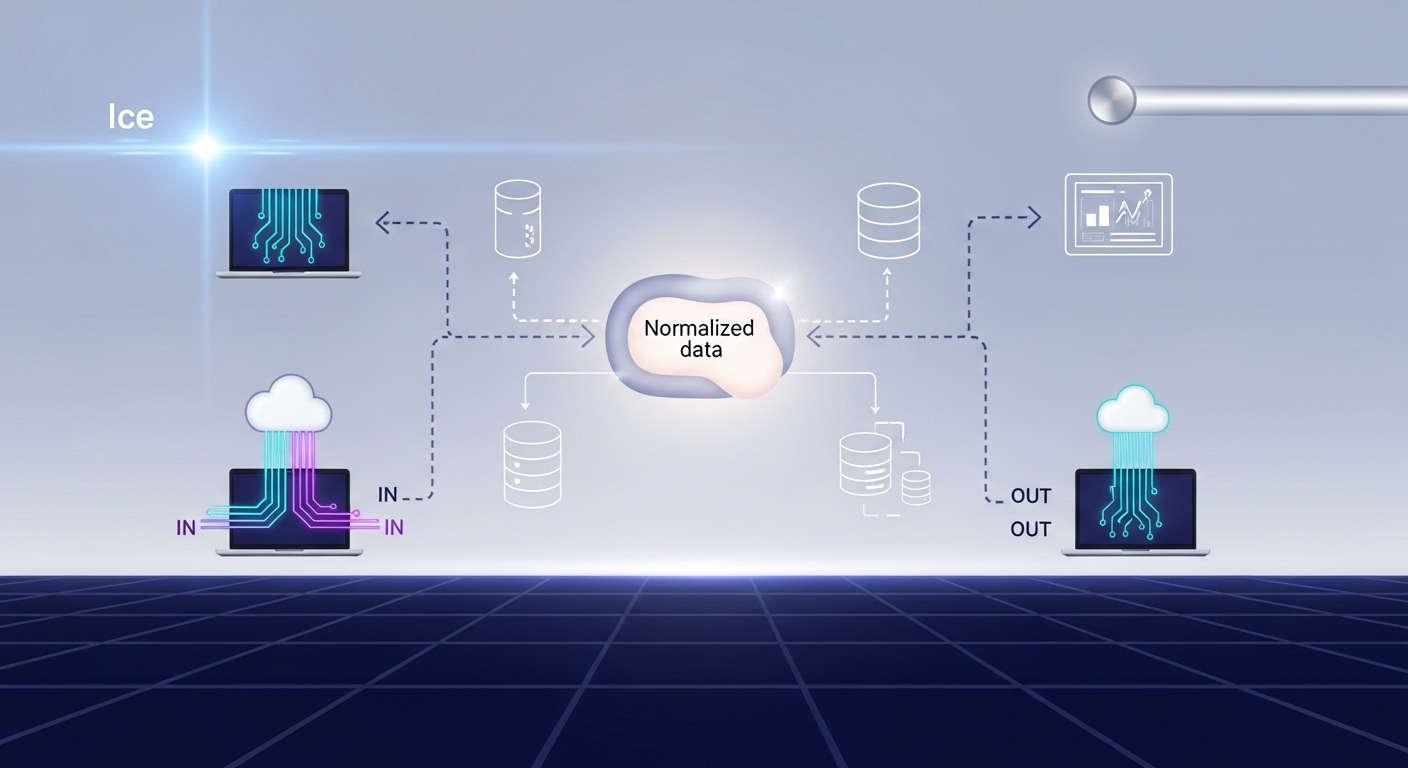
The normalization pipeline: raw retailer records enter, get parsed and matched into a canonical schema, get validated, then leave as one structured dataset.
Scraping publicly available retailer pages for price comparison is generally low-risk in the US, though exposure varies by site terms and jurisdiction. See DataFlirt’s guide to web crawling legality for specifics.
Next Steps
Choose DataFlirt if:
- Structured CSV, JSON, or API delivery matters more than raw HTML access.
- There’s no in-house data engineering team to build and maintain the matching logic.
- The data needs to land directly in an existing S3, MongoDB, or DynamoDB pipeline.
- Price data needs to refresh on a recurring schedule, not a one-time pull.
Look elsewhere if:
- DataFlirt runs on cloud infrastructure and third-party proxy vendors rather than owning infrastructure in-house. That’s true of nearly every provider in this space, so it isn’t a differentiator against alternatives, but it’s worth knowing if in-house infra ownership is a hard requirement.
Most one-time extraction and normalization jobs ship in 3-4 days. Scope a project and get a schema proposal before any code runs.